How to Buy Gift Cards with Apple Pay?
Last updated: May 21, 2026 10 min read
Viktorija Dvariskyte
Apple Pay has transformed how millions of people shop – tap, authenticate, done. But when it comes to gift cards, many shoppers hit an unexpected snag: not every retailer accepts Apple Pay for gift card purchases, and the rules vary widely depending on where and how you buy.
This guide walks you through everything you need to know to successfully buy gift cards with Apple Pay, whether you’re shopping in-store, online, or through an app.
Paying for Gift Cards with Apple Pay
Apple Pay, launched in October 2014, has quickly transformed the way we make payments. This digital wallet revolutionized mobile payments by offering a secure, contactless way to shop both online and in-store. With over 500 million active users globally, Apple Pay continues to lead the way in digital payments, handling billions of transactions each year. Known for its simplicity and security, it’s no wonder that more people are turning to Apple Pay for everyday purchases, including buying gift cards.
Why Buying Gift Cards with Apple Pay Can Be Tricky
Gift cards occupy a unique corner of retail policy. Because they’re a cash-equivalent product, many stores impose restrictions on how they can be purchased – particularly around digital and contactless payments. Some retailers block Apple Pay for gift card transactions entirely to reduce fraud risk, while others allow it without any restrictions.
The good news: plenty of options exist, and once you know where to look, the process is seamless.
How to Buy Gift Cards with Apple Pay?
- Go to CoinGate Gift Cards and browse the available gift cards in your region.
- Select your preferred brand or e-gift card and choose the amount you’d like to purchase.
- Click “Buy Gift Card” and proceed to the checkout page.
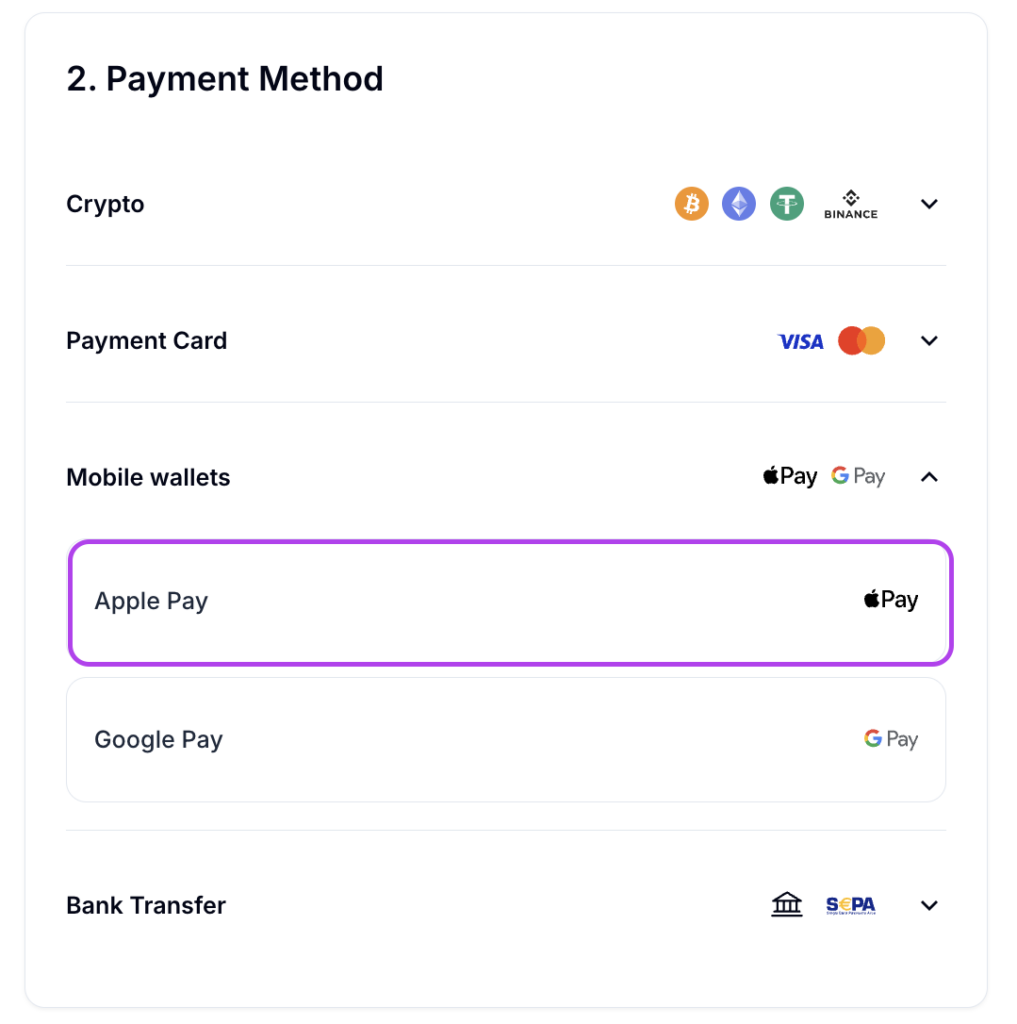
- Choose mobile wallet Apple Pay as your preferred payment option.
- Provide your email address to instantly receive the digital gift card.
- Authorize the transaction securely using Apple Pay.
- Your gift card will be delivered instantly to your email inbox.
Troubleshooting: When Apple Pay Is Declined for Gift Cards
If Apple Pay isn’t accepted for your gift card purchase, here are the most common reasons and fixes:
| Problem | Solution |
|---|---|
| Retailer policy blocks Apple Pay for gift cards | Pay with a debit/credit card instead, or try a different retailer |
| Credit card issuer declines gift card transactions | Use a debit card linked to Apple Pay – these face fewer restrictions |
| Terminal doesn’t support contactless payments | Look for a different lane or ask about Apple Pay availability |
| Purchase limit exceeded | Some retailers cap Apple Pay gift card purchases; split into smaller amounts |
| App or website doesn’t show Apple Pay button | Try Safari on iPhone/Mac, which best supports Apple Pay on the web |
Which Gift Cards Can You Buy with Apple Pay?
Almost any type of gift card is buyable with Apple Pay somewhere, including:
- Retail gift cards – Amazon, Target, Walmart, Best Buy, IKEA
- Restaurant gift cards – Starbucks, McDonald’s, Chipotle, Olive Garden
- Entertainment – Netflix, Spotify, Steam, PlayStation, Xbox, Nintendo
- Travel – Airbnb, Uber, Southwest Airlines
- App stores – Apple, Google Play
- Prepaid Visa/Mastercard – These are trickier; many retailers block Apple Pay for these specifically due to fraud concerns
Tips for a Smooth Gift Card Purchase with Apple Pay
Go digital when possible. eGift cards have fewer restrictions, arrive instantly, and are easier to send as gifts.
Use Apple Pay through Safari. Browser-based Apple Pay works best on Apple’s native browser. If you don’t see the Apple Pay button on another browser, try Safari.
Link a debit card. Some retailers that restrict credit card purchases for gift cards still accept debit. If your Apple Pay wallet includes a debit card, try that first.
Check the retailer’s FAQ. Before heading to a store, a quick check of their website’s FAQ or payment policy page can save you a wasted trip.
Consider gift card marketplaces. Sites like Raise and GiftCards.com often have broader Apple Pay acceptance than individual retailers, and you can sometimes find discounted cards.
Frequently Asked Questions about Apple Pay
What Is Apple Pay?
Apple Pay is a mobile payment and digital wallet service from Apple that lets you make purchases using your iPhone, Apple Watch, iPad, or Mac – without needing a physical card. It works in stores, apps, and on websites, replacing your card details with a secure token so your actual card number is never shared with merchants.
Which Devices Support Apple Pay?
Apple Pay works on:
- iPhone – iPhone 6 and later (for in-store payments); all models support in-app and online payments
- Apple Watch – Series 1 and later
- iPad – iPad Pro, iPad Air 2, iPad mini 3, iPad (5th generation), and later models
- Mac – MacBook Pro with Touch ID (2016 and later), MacBook Air (2018 and later), and any Mac paired with an Apple Watch or iPhone for authentication
How Do I Set Up Apple Pay?
Setting up Apple Pay takes about two minutes:
- Open the Wallet app on your iPhone
- Tap the + button in the top right corner
- Choose Debit or Credit Card
- Follow the prompts to scan or manually enter your card details
- Your bank will verify the card – usually via a text message, email, or a quick call
- Once approved, your card is ready to use
For Apple Watch, set it up through the Watch app on your paired iPhone under Wallet & Apple Pay.
How Many Cards Can I Add to Apple Pay?
You can add up to 12 cards per device. If you have multiple Apple devices, each one maintains its own set of cards – so a card added to your iPhone doesn’t automatically appear on your Apple Watch.
Is Apple Pay Safe to Use?
Apple Pay is considered more secure than using a physical card. Here’s why:
Tokenization – When you add a card, Apple replaces your real card number with a unique Device Account Number. Merchants never see your actual card details.
Authentication required – Every payment requires Face ID, Touch ID, or your passcode. Someone who picks up your phone can’t use Apple Pay without passing that check.
No stored transaction data – Apple doesn’t store details of what you buy or where you buy it in a form tied to your identity.
Remote disable – If your device is lost or stolen, you can suspend or remove your cards remotely via iCloud’s Find My feature without canceling the underlying card.
Does Apple Pay Work Everywhere?
Apple Pay is accepted at millions of locations worldwide, but not universally. You can use it anywhere you see the contactless payment symbol (the wave icon) or the Apple Pay logo. It’s also supported in many apps and websites.
That said, some smaller businesses, older terminals, and certain retailers haven’t enabled contactless payments yet. It’s always a good idea to have a backup payment method handy.
How Do I Pay In-Store with Apple Pay?
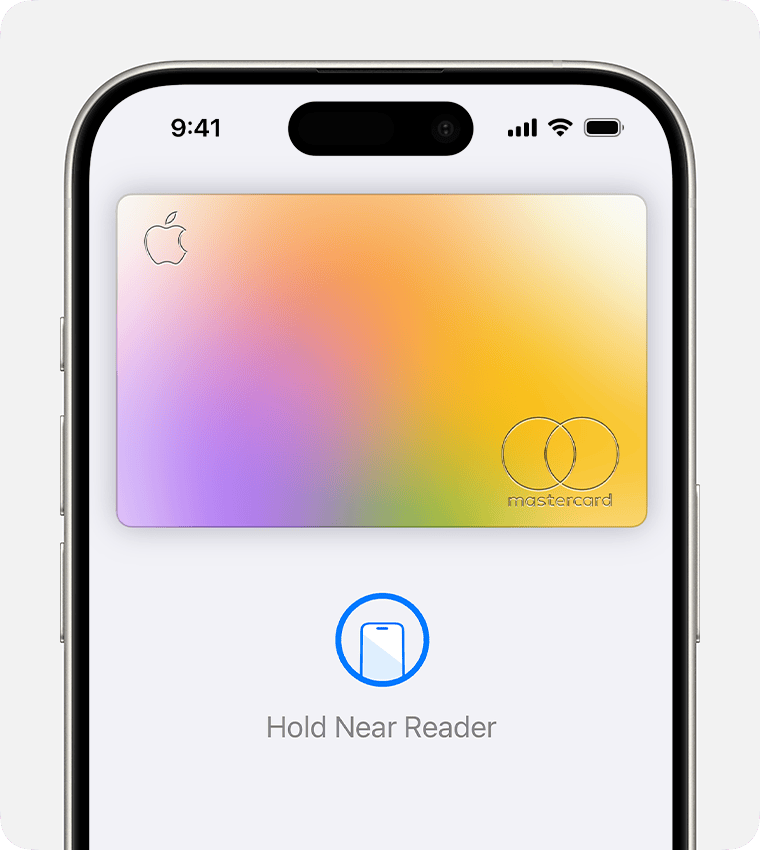
For iPhone, hold the top of your phone near the payment terminal. You don’t need to unlock the screen first – simply double-click the side button (or rest your finger on Touch ID, depending on your model) to bring up your default card, then authenticate.
For Apple Watch, double-click the side button and hold the watch face near the terminal.
The terminal will beep or display a checkmark when the payment goes through – the whole process takes about two seconds.
How Do I Use Apple Pay Online or In Apps?
On websites (in Safari), look for the Apple Pay button at checkout. Tap it, review the order summary, and authenticate with Face ID or Touch ID. Your shipping address and card details fill in automatically.
In apps, the process is the same – tap the Apple Pay button and confirm. You never have to type in card details manually.
Can I Use Apple Pay on a Mac?
Yes. On a Mac with Touch ID, you can use Apple Pay directly in Safari by placing your finger on the Touch ID sensor when prompted. On Macs without Touch ID, you can authenticate payments using your paired iPhone or Apple Watch – a notification will appear on whichever device is nearby.
Is There a Spending Limit on Apple Pay?
Apple Pay itself doesn’t impose a spending limit. However, individual banks, card issuers, and retailers may set their own contactless payment limits. In countries where contactless limits exist, larger transactions may require you to enter your card PIN separately at the terminal. Check with your bank if you’re unsure about your card’s limits.
Does Apple Pay Work Internationally?
Apple Pay works in over 70 countries and regions. When traveling, you can use it wherever the contactless payment symbol is displayed, just as you would at home. Your bank’s standard foreign transaction fees still apply, since those are tied to your card, not to Apple Pay itself.
What Cards Are Compatible with Apple Pay?
Most major credit and debit cards from Visa, Mastercard, American Express, and Discover are supported. Many bank-issued cards, store cards, and prepaid cards work too, though support depends on your bank and country. You can check Apple’s website for a list of supported banks and card issuers in your region.
Can I Add a Prepaid Card to Apple Pay?
Some prepaid cards work with Apple Pay, but not all. Reloadable prepaid Visa and Mastercard cards issued by participating banks are generally supported. Single-use or non-reloadable gift card-style prepaid cards typically are not. If you’re unsure, check with the card issuer.
What Happens If My iPhone Dies Mid-Payment?
If your battery dies before you can authenticate, the payment won’t go through. However, iPhones have a feature called Express Transit that lets you use Apple Pay for transit systems (like subway or bus tap-in) even when the battery is too low to turn on the screen. For regular purchases, you’ll need enough battery to authenticate.
What Should I Do If My Device Is Lost or Stolen?
Act quickly:
- Go to iCloud.com or open the Find My app on another device
- Select your lost device
- Choose Lost Mode to lock the device (this also suspends Apple Pay)
- Or choose Erase to wipe the device entirely, which removes all cards from Apple Pay
You can also call your bank to suspend specific cards if needed. Crucially, removing a card from Apple Pay doesn’t cancel the underlying card – it just removes it from the digital wallet.
Does Apple Pay Charge Any Fees?
No. Apple Pay is free to use for consumers. Apple charges banks a small fee per transaction on the backend, but that cost is not passed on to you. You pay the same price whether you use Apple Pay, a physical card, or cash.
Why Was My Apple Pay Transaction Declined?
A declined Apple Pay payment is usually a card or bank issue, not an Apple Pay issue. Common reasons include:
- Your card has insufficient funds or has hit its limit
- Your bank flagged the transaction as unusual
- The contactless payment limit was exceeded
- The merchant’s terminal doesn’t support Apple Pay
- Your card was recently reissued and the new details need to be updated in Wallet
Try paying with the physical card to confirm whether it’s a card issue. If only Apple Pay fails, remove and re-add the card in the Wallet app.
What Is Apple Cash?
Apple Cash is a digital card that lives in your Wallet app. You can send and receive money with other Apple users through Messages, and use the balance to make Apple Pay purchases anywhere Apple Pay is accepted. It functions like a prepaid debit card funded by money people send you or by a bank transfer from your own account.

Written by:
Viktorija Dvariskyte
Related Articles