How to Buy Gift Cards with Binance Pay?
Last updated: May 21, 2026 8 min read
Viktorija Dvariskyte
Binance Pay is Binance’s own payment product – a way to send, receive, and spend crypto instantly between users and at supported merchants without needing to withdraw to an external wallet or go through a traditional payment processor. For anyone already in the Binance ecosystem, it’s one of the most seamless ways to buy gift cards: no blockchain addresses to copy, no network fees to manage, no waiting for confirmations. Just open the app, select your brand, and pay from your balance.
This guide covers exactly how Binance Pay works for gift card purchases, what you can buy, and how it compares to other payment methods.
Paying for Gift Cards with Binance Pay
Cryptocurrency is revolutionizing the way we make payments, and Binance Pay is at the forefront of this change. Binance Pay is a secure, contactless, and borderless payment solution developed by Binance, one of the world’s largest cryptocurrency exchanges. It allows users to send and receive payments in over 50 cryptocurrencies, including Bitcoin, Ethereum, Binance Coin (BNB), and many others.
One of the coolest features of Binance Pay is its ability to let you purchase gift cards with cryptocurrency. Whether you’re looking to buy a gift card for Sephora, Spotify, Google Play or Steam, Binance Pay makes the process seamless and hassle-free. In this beginner-friendly guide, we’ll walk you through everything you need to know about Binance Pay and how to use it to buy gift cards via CoinGate, a popular cryptocurrency payment gateway.
Steps to Purchase Gift Cards with Binance Pay via CoinGate
- Navigate to the CoinGate Gift Cards website: https://coingate.com/gift-cards
- Select a Gift Card
- Log in, go to the “All Gift Cards” section, and choose your desired card (e.g., Apple, Netflix).
- Enter Amount & Choose Payment
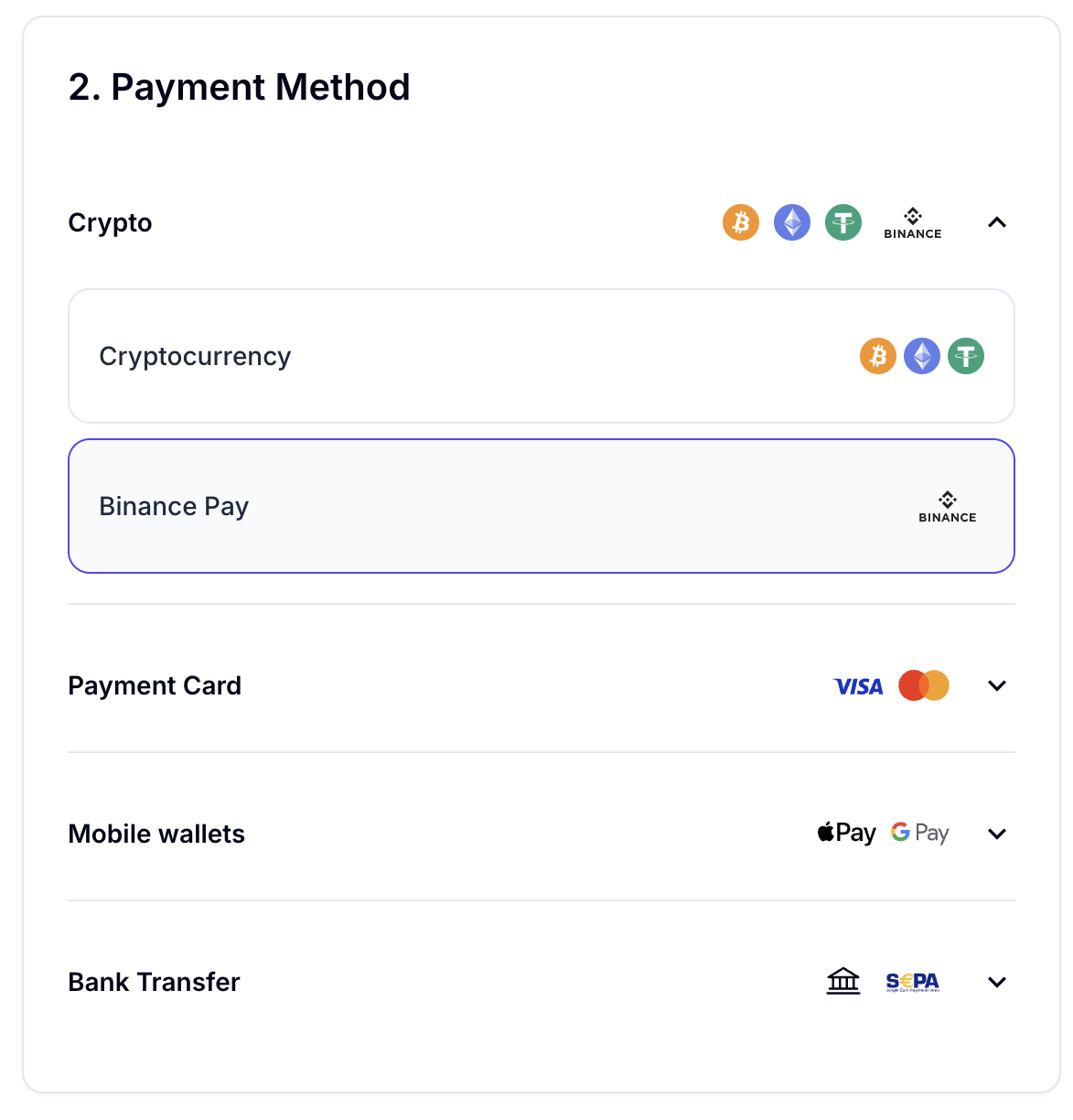
- Enter the gift card amount and select “Cryptocurrency” as the payment method.
- Pay with Binance Pay
- Select “Binance Pay,” scan the QR code or use the payment link, and confirm the transaction in your Binance app.
- Receive Your Gift Card
- Once payment is confirmed, you’ll get the gift card code via email from CoinGate Gift Cards. Redeem it and enjoy!
What Is Binance Pay?
Binance Pay is a contactless, borderless crypto payment service built into the Binance app. It lets Binance users:
- Send crypto to other Binance users instantly and for free
- Pay at merchants and platforms that have integrated Binance Pay as a checkout option
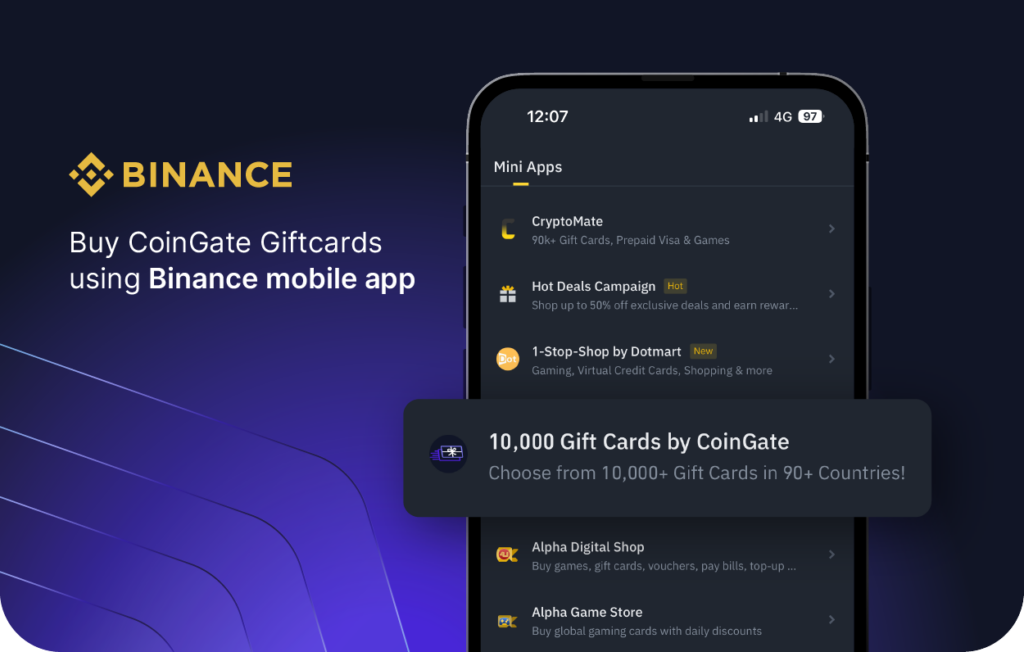
- Buy gift cards directly within the Binance app using any supported crypto in their account
- Receive payments from other users or merchants
Unlike on-chain crypto transactions, Binance Pay transfers between Binance accounts happen off-chain – inside Binance’s own system. This means they’re instant and carry no blockchain network fees. The trade-off is that both sender and recipient need Binance accounts.
Why Use Binance Pay to Buy Gift Cards?
No blockchain fees. Binance Pay transactions within the Binance ecosystem don’t incur network fees. Whether you’re paying with BTC, BNB, ETH, USDT, or another supported coin, the amount you see is the amount you pay.
Instant settlement. Payments process immediately. There’s no waiting for block confirmations – your gift card is available as soon as you confirm the purchase.
Pay with any supported coin. Binance Pay lets you spend from your Binance account balance in virtually any cryptocurrency you hold – BTC, ETH, BNB, USDT, USDC, and hundreds of others. You’re not limited to a single coin.
All in one place. If you already use Binance for trading or holding crypto, buying gift cards through Binance Pay means everything stays within one app. No third-party platforms, no external wallets, no additional accounts.
Send gift cards to other Binance users. Binance Pay also lets you create and send crypto gift cards directly to other Binance users – a simple way to gift crypto or branded gift card value to friends and family.
Binance Pay vs Other Methods for Buying Gift Cards
| Feature | Binance Pay | On-Chain Crypto | Credit Card | SEPA Transfer |
|---|---|---|---|---|
| Speed | Instant | Minutes to hours | Instant | Hours to 1 day |
| Network fees | None | Varies by coin | None | Usually none |
| Requires Binance account | Yes | No | No | No |
| Supported currencies | 300+ coins | Depends on platform | Fiat only | EUR only |
| Works outside Binance catalog | Via merchant integration | Yes | Yes | Limited |
| Available worldwide | Most countries | Global | Varies | 36 SEPA countries |
Frequently Asked Questions about Binance Pay
What Is Binance Pay?
Binance Pay is a crypto payment service built into the Binance app. It lets you send and receive crypto instantly between Binance users, pay at merchants that have integrated it at checkout, and buy gift cards directly within the Binance platform – all without blockchain network fees or confirmation waiting times. Transfers happen inside Binance’s own system rather than on a public blockchain, which is what makes them instant and free.
Do I Need a Binance Account to Use Binance Pay?
Yes. Binance Pay is exclusively available to Binance users. You need a registered Binance account to access it. Depending on your country and the transaction type, Binance may also require identity verification (KYC) before you can use payment features.
How Do I Buy a Gift Card with Binance Pay?
The process is straightforward:
- Open the Binance app and navigate to Pay or Gift Cards
- Browse or search for the brand you want
- Select your denomination
- Choose which cryptocurrency to pay with from your balance
- Review and confirm the order
- The gift card code appears instantly in the app or is sent to your email
The entire process takes under a minute once your account is set up.
Which Cryptocurrencies Can I Use to Pay?
Binance Pay lets you spend from your Binance account balance in virtually any cryptocurrency you hold. This includes Bitcoin (BTC), Ethereum (ETH), BNB, USDT, USDC, and hundreds of other coins listed on Binance. If needed, Binance may convert your chosen coin to the required currency at the current market rate.
Are There Any Fees When Using Binance Pay for Gift Cards?
No network or transaction fees are charged for Binance Pay purchases within the Binance ecosystem. Unlike sending on-chain Bitcoin or Ethereum – where you pay miner or gas fees – Binance Pay transactions happen off-chain inside Binance’s system, so there’s no fee passed to you. The price you see at checkout is the price you pay.
How Fast Is Binance Pay for Gift Card Purchases?
Instant. Because Binance Pay operates off-chain within Binance’s platform, there’s no waiting for blockchain confirmations. You confirm the payment and the gift card code is available within seconds – significantly faster than on-chain crypto payments that can take minutes to over an hour.
What Gift Cards Can I Buy with Binance Pay?
Through Binance’s built-in gift card store the catalog covers major global brands including:
- Gaming – Steam, PlayStation, Xbox, Nintendo eShop, Roblox, Razer Gold
- Retail – Amazon, eBay, Best Buy, IKEA (availability varies by region)
- Entertainment – Netflix, Spotify, Disney+, YouTube Premium, Apple TV+
- Food and dining – Starbucks, McDonald’s, Uber Eats
- Travel – Airbnb, Booking.com, Uber
- App stores – Google Play, Apple App Store
Availability depends on your country. The catalog is strongest in the US, UK, and major EU markets.
What If the Gift Card I Want Isn’t in Binance’s Catalog?
Binance’s own gift card store doesn’t carry every brand. If what you need isn’t there, two options work well:
Use a third-party platform like Coingate or Bitrefill, which carry broader catalogs and accept BTC, ETH, BNB, and other coins you may hold on Binance. You’ll need to withdraw crypto to an external wallet or send directly from Binance to the platform’s payment address.
Check for merchant integrations – some gift card platforms outside Binance have integrated Binance Pay as a checkout option, which lets you pay from your Binance balance without withdrawing.
Can I Send a Gift Card to Someone Else Using Binance Pay?
Yes, in two ways. First, when buying a branded gift card in the Binance app, you can often have the code delivered to a recipient’s email. Second, Binance Pay has a native gift card feature that lets you create and send crypto-denominated gift cards to other Binance users – you choose the coin, amount, and a design, then share a link or code through any messaging app. The recipient redeems it in their own Binance app.
Does the Recipient Need a Binance Account to Receive a Gift Card?
For crypto gift cards sent via Binance Pay’s native feature, yes – the recipient needs a Binance account to redeem the value. For branded retail gift cards (like a Steam or Netflix card), no – the recipient just needs the gift card code, which works like any other gift card regardless of how it was purchased.
Is Binance Pay Safe to Use for Gift Card Purchases?
Binance is one of the largest and most established cryptocurrency exchanges in the world. Transactions within the Binance Pay ecosystem are processed through Binance’s own infrastructure, which uses industry-standard security measures. The main precaution is making sure your Binance account itself is secure – use a strong password, enable two-factor authentication (2FA), and don’t share your login credentials.
Written by:
Viktorija Dvariskyte
Related Articles