


MiCA-licensed in the EU
Crypto refunds made simple
Issue full or partial refunds in any supported crypto Directly from your dashboard or through the API. No intermediaries, no chargebacks, no disputes.
Chargebacks vs refunds
Understanding crypto payments and chargebacks
If you have ever dealt with chargeback fraud on credit cards, you already know how damaging it can be. With crypto, that problem disappears entirely.
| Traditional chargebacks | Crypto refunds via CoinGate | |
|---|---|---|
| Initiated by | Customer or bank | Merchant (you control it) |
| Fraud risk | High (friendly fraud is common) | None (no forced reversals) |
| Processing time | Weeks to months | Minutes to hours |
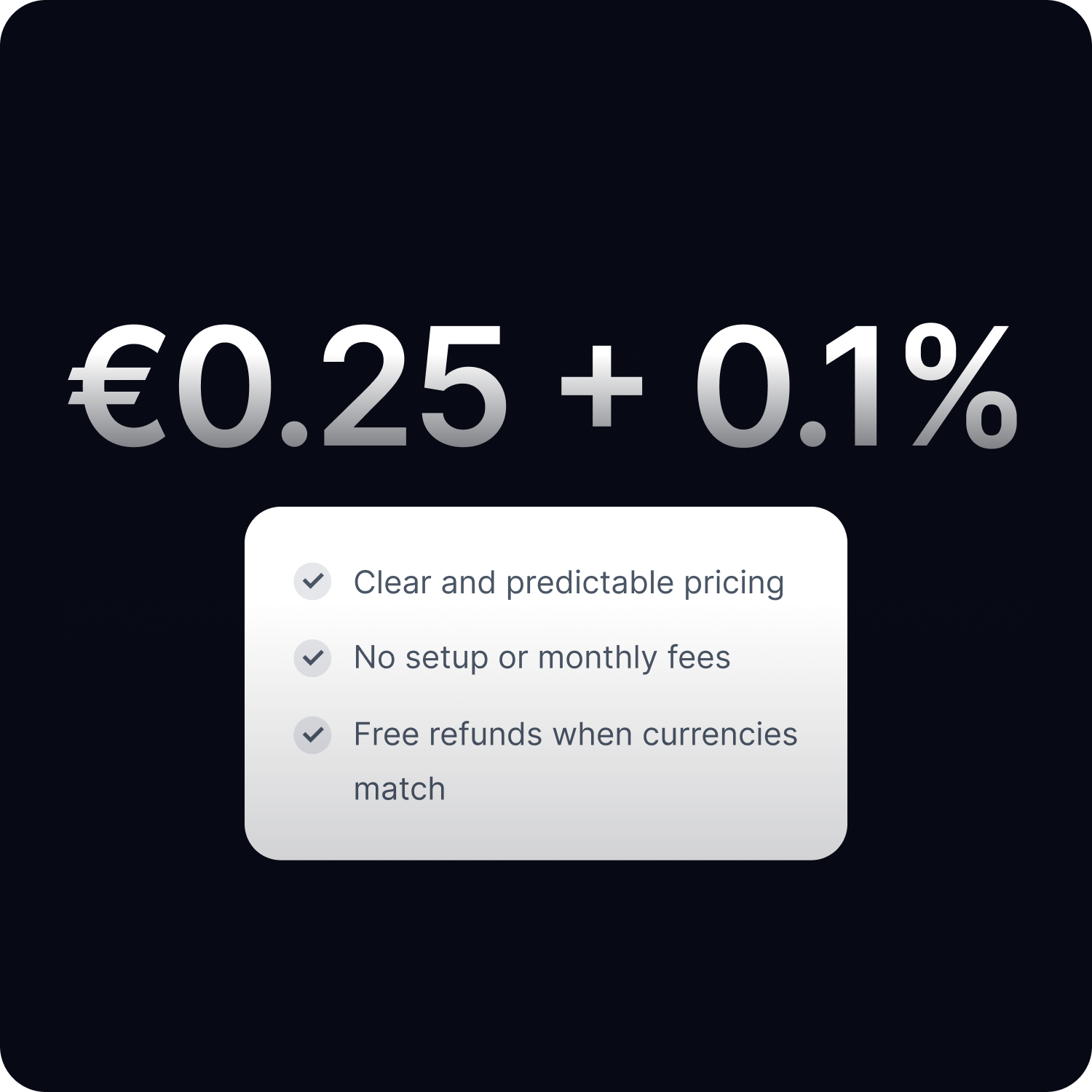
| Fees | Chargeback fee per dispute | €0.25 + 0.1% only on currency conversion (free otherwise) |
| Merchant control | Limited (bank decides) | Full (you approve every refund) |
How crypto refunds work at CoinGate
Overpayments and underpayments are handled automatically. If a customer sends more than required, the excess amount is flagged, and you can issue a partial refund for the difference without any manual calculation.
Customer requests a refund
A customer contacts your support team and asks for a full or partial refund.
Issue the refund in CoinGate
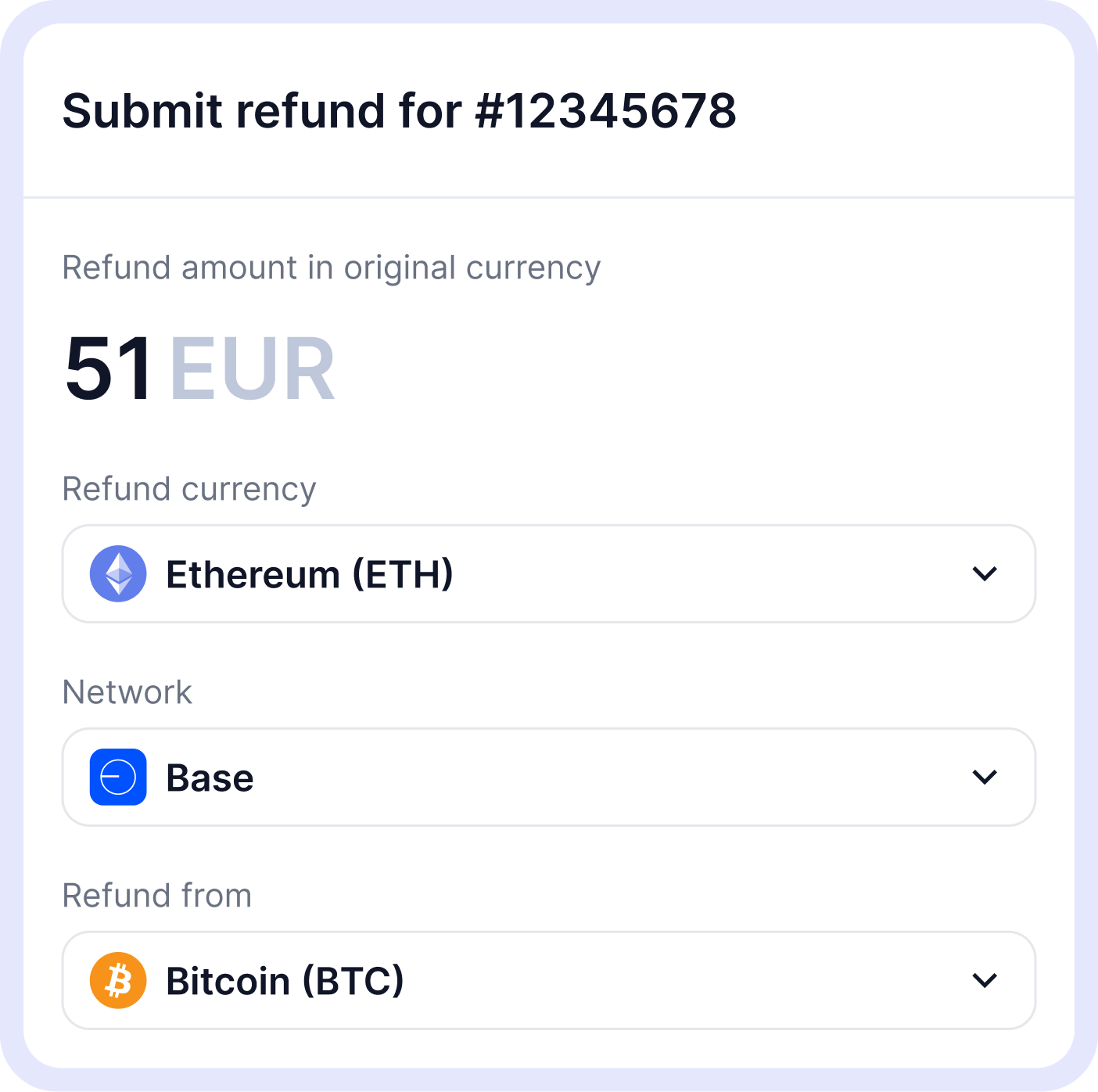
Open the original order, choose the refund amount and currency, then enter the customer’s wallet details.
We handle the conversion and confirmation
If needed, CoinGate automatically converts the funds and sends a confirmation request to the customer.
Refund is completed
The funds are sent to the customer’s wallet, and both sides can track the refund status in real time.

Refund features built for business
Automate refunds via API
For developers
For businesses processing high volumes, manual refunds do not scale. Our API lets you integrate refund logic directly into your existing systems.
Create refunds programmatically, check statuses, and receive callbacks when a refund completes. The API supports all the same options as the dashboard, including partial refunds, currency selection, and address validation.
Simple and transparent refund pricing
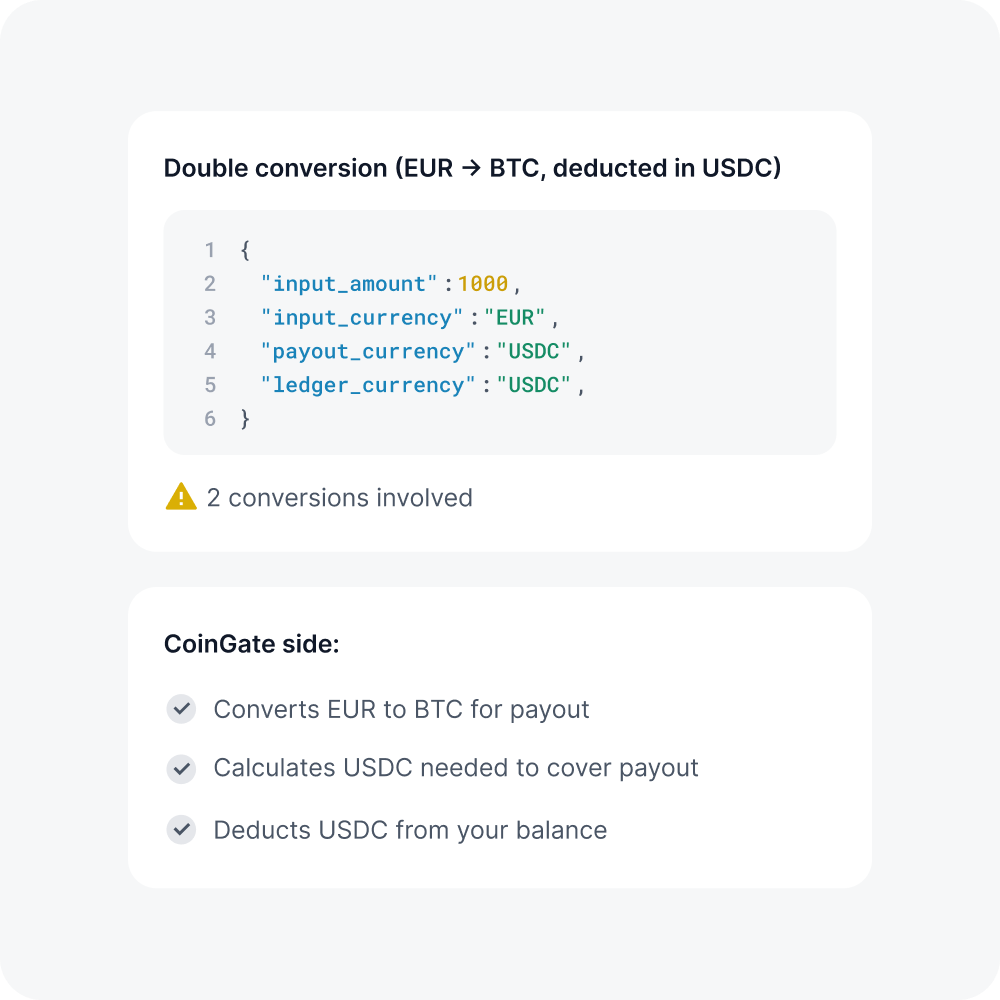
Every refund carries the same predictable fee. No tiers, no variable rates depending on the currency, no chargeback-related costs. The additional 0.1% conversion fee only applies when the refund currency differs from your balance. You always know exactly what you’ll pay before you hit send – one flat fee per transaction, no monthly minimums, no setup costs, no surprises on your statement.
Supported refund currencies and networks
Issue refunds in any cryptocurrency we support, across multiple blockchain networks.


Have a questions about crypto refunds?
Frequently asked questions (FAQ)
What’s a merchant refund at CoinGate?
Merchant refund is a feature of CoinGate payment gateway that gives merchants tools for issuing, tracking, and managing refunds from user dashboard or by connecting via API.
Why should a merchant use a cryptocurrency refund feature?
CoinGate’s refund system greatly simplifies and speeds up the process of returning money to customers who made payments in cryptocurrencies, compared to old ways of doing it. This feature is exceptionally helpful for companies that offer a money-back guarantee policy to their customers.
How does a merchant refund work at CoinGate?
Here’s how the system works:
For example, a customer pays the order for a VPS service using LTC valued at 10 EUR, but weeks later, he ends up dissatisfied with the service and asks for his money back.
Communication occurs directly between the shopper and the merchant, where a customer provides the merchant with the necessary information, such as a currency he wishes to receive (it can be another currency and not necessarily LTC), a wallet address, and a type of blockchain network. After both parties exchange information, the merchant simply logs into his CoinGate account, fills out a refund form associated with the order that needs to be refunded, and initiates a transaction request.
What’s a refund form and where do I find it?
A refund form is a tool that allows merchants to issue refund orders paid in full if a customer contacts the merchant directly.
To issue a refund, the merchant has to fill out a refund form at the ‘Merchant > Orders’ tab on a menu dashboard (or click here) by clicking on order about to be refunded.
What do I need to be able to issue a refund?
The only requirement is to have funds available in your balance that could be deducted for refunding purposes. See this article for a step-by-step guide for topping-up your account balance.
Is there anything a customer must do to receive a refund?
Besides providing necessary information, a customer must also confirm the refund request via email once the merchant fills out a refund form to ensure that the refund details are correct.
How is the refund amount calculated?
It is calculated based on the initial price of merchandise and the current exchange rate of cryptocurrency that’s been used to pay by the customer.
That means if the service or product costs 10 EUR, the merchant can enter up to 10 EUR as the refund amount. The entered amount will be converted to a cryptocurrency a customer wants to get back using its current exchange rate.
Is it possible to issue partial refunds?
Yes, it’s possible.