


Accept crypto with CoinGate
Accept crypto with confidence using everything you need in one platform.
How to Automate Crypto Payouts via API (With Status Tracking and Callbacks)
Crypto payments do not end at checkout. For many businesses, the real operational work starts after funds arrive: paying suppliers, partners, contractors, affiliates, or issuing outbound transfers at scale.
When payouts are handled manually, complexity grows quickly. When they are automated, crypto becomes a predictable operational rail.
This article explains how automated crypto payouts work in practice, using CoinGate’s payout API as an example. It focuses on workflows, lifecycle, and control – not blockchain mechanics.
If you’re unsure how payouts differ from settlement or withdrawals, it helps to first understand the broader fund flow.
New to CoinGate? Create a business account or start testing payouts in the sandbox.
Why automating crypto payouts matters
At small volumes, payouts can be handled manually. Someone logs into a dashboard, copies an address, sends funds, and moves on. That approach does not scale.
As payout volume grows, manual handling introduces operational risk, reconciliation overhead, approval bottlenecks, and delayed partner or supplier payments. Each manual step becomes a potential failure point.
Automation turns payouts into a system instead of a task. It allows outbound payments to follow business logic rather than human routines.
What a crypto payout actually is (and isn’t)
A crypto payout is an outbound transfer of funds from your balance to an external recipient.
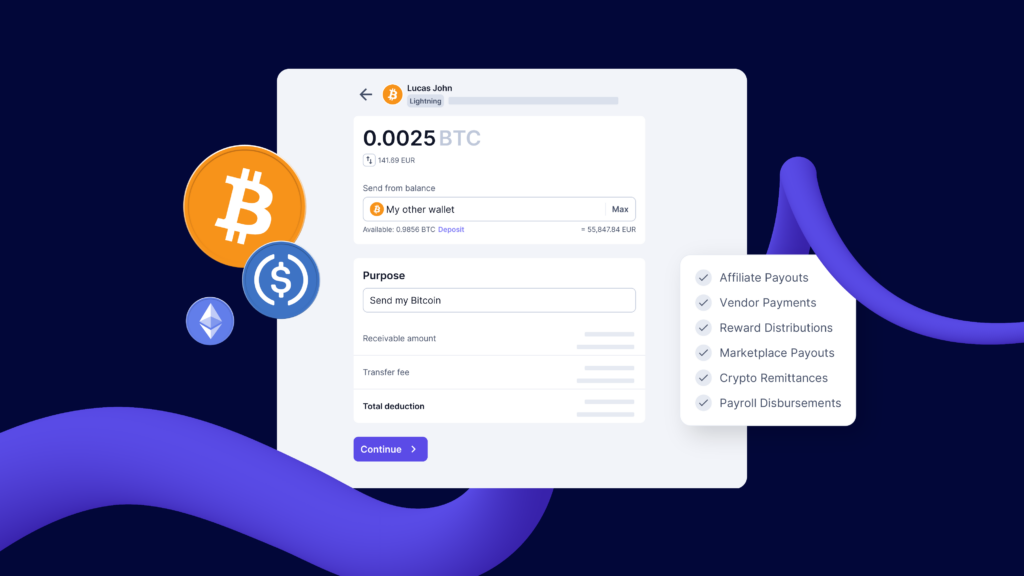
It is important to distinguish payouts from other fund movements. A payout is not a settlement, and it is not a withdrawal to your own bank account. It is also not an accounting event by itself.
Payouts are operational actions. They answer a simple question:
How do we send funds out to others, reliably and at scale?
How CoinGate models payouts
At CoinGate, payouts are represented as send requests.
A send request is a structured payout instruction that specifies the amount, currency, destination address, and blockchain network. Once created, it progresses through a defined lifecycle and produces its own audit trail.
Depending on your account configuration, a send request may require an approval step, such as two-factor confirmation, before it is executed. After approval, it moves through processing toward a final outcome.
A useful way to think about payouts is as first-class objects, not side effects. Each payout has its own identity, state, and history. If you are paying the same people on a schedule, registering them as beneficiaries lets you reference a stored recipient instead of re-entering the details on every run.
| Status | Description |
| draft | A new send request has been created and is awaiting 2FA confirmation in the dashboard. |
| in_progress | Compliance checks have started, and the balance has been deducted from the account. |
| processing | The send request is being processed by the network. |
| completed | The send request was successful and has been completed. |
| expired | The send requests where the exchange was not confirmed within 1 minute, or send requests requiring 2FA confirmation from the dashboard that were not confirmed within 30 days, will be marked as expired. |
| failed | The send request was rejected by the network. |
| canceled | The send request was canceled due to compliance reasons. |
Creating a payout programmatically
Automated payouts begin by creating a send request via API.
At a high level, your system provides the amount to send, the currency and network, and the destination wallet address. CoinGate returns a unique send request ID, which becomes the external reference for that payout.
Payout automation should be idempotent. Your system should generate a unique internal reference for each payout intent and ensure retries do not create duplicates. Once a send request ID exists, it should be treated as the source of truth for that payout.
This approach prevents double-sends and keeps retry logic safe.
Understanding the payout lifecycle
Payouts move through clearly defined statuses that reflect where they are in the process.
In most implementations, you will see states such as pending_2fa, processing, completed, and failed. States like completed and failed are terminal. Everything else should be treated as in-progress.
Each status represents a meaningful operational moment. A payout that is processing is very different from one that is completed or failed, and systems need to react accordingly.
Tracking payouts at scale
As soon as payouts are automated, visibility becomes critical.
CoinGate provides endpoints to list all send requests and retrieve details for a specific payout. Listing endpoints are typically used for reconciliation, reporting, and audits. Single-payout retrieval is more useful for support workflows and post-mortems when something goes wrong.
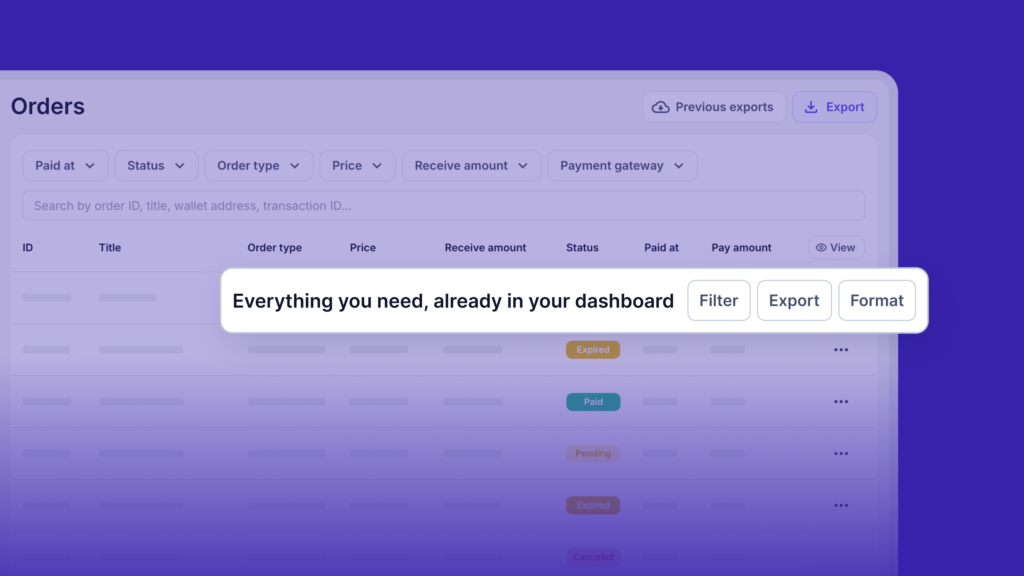
At scale, payouts stop being individual actions. They become a dataset that finance, operations, and support teams depend on.
Using callbacks for real-time payout updates
Polling payout status works, but it does not scale well.
Callbacks (webhooks) notify your system whenever a payout changes state. When a send request is created, processed, completed, or fails, CoinGate can send an event directly to your application.
Callbacks should be treated as signals, not single points of truth. Systems should handle duplicate events safely and verify final payout state via the API before taking irreversible actions.
| Name | Type | Value |
| id | Integer | Unique identifier for the send request. |
| status | String | The current status of the send request (e.g., pending, completed, failed). Available Statuses |
| purpose | String | Description of the purpose of the Send Request. |
| callback_url | String | URL that will receive status change callbacks for this request. |
| created_at | String | Timestamp indicating when the send request was created. |
| external_id | String | A unique identifier provided by the merchant during record creation. (optional, string, max length: 50, uniq) |
| ledger_account | Hash | Ledger account used for deducting the sending amount. |
| input_amount | Float | The amount you intend to send in the specified input_currency. |
| input_currency | Hash | The currency in which the amount is provided. This will be converted into the sending_currency before sending. For example, if you want to send 100 EUR but the beneficiary’s currency is ETH, the amount will be converted accordingly. |
| sending_amount | Float | The actual amount that will be sent to the beneficiary after conversion. |
| sending_currency | Hash | The currency in which the beneficiary will receive the funds. |
| input_to_sending_rate | String | The exchange rate used to convert input_amount from input_currency to sending_amount in sending_currency. For example, if sending 100 EUR (input_currency) to ETH (sending_currency), this rate determines how much ETH the beneficiary receives. |
| sending_to_balance_debit_rate | String | The exchange rate between sending_currency and balance_debit_currency, used to determine the deducted amount from the ledger. |
| balance_debit_amount | Float | The amount deducted from the ledger account. If the sending currency and ledger account currency differ, the amount will be converted before deduction. For example, if you send 0.1 ETH, but your ledger balance is in USDC, then the equivalent USDC amount will be deducted. |
| balance_debit_currency | Hash | The currency of the ledger account used for deduction. |
| beneficiary_payout_setting | Hash | The payout settings associated with the beneficiary. The beneficiary currency is the same as sending_currency. |
| fees | Hash | The fees applied to the transaction. Possible fee types include:service_fee: A fee for processing the transaction.conversion_fee: A fee applied when converting between sending_currencyand balance_debit_currency. |
| blockchain_transactions | Array | An array containing details of blockchain transactions related to this request. Each transaction includes:txid: The blockchain transaction ID.amount: The amount transferred in the transaction.status: The current status of the transaction.network_confirmations: The number of confirmations received on the blockchain. |
| actions_required | Hash | The actions_required field is present only when an exchange is needed (i.e., when sending_currency and balance_debit_currency are different). If currency conversion is not required, user confirmation is not needed. Note that the conversion is based on sending_currency and balance_debit_currency, not input_currency, even if the currencies differ. Possible actions: PATCH(cancel) or PATCH(confirm). |
| requires_2fa_confirmation | Boolean | Indicates whether the operation requires additional manual confirmation in the account dashboard using two-factor authentication (2FA). |
Used correctly, callbacks turn payouts from passive events into active operational triggers.
Handling currency conversion during payouts
Some payouts require converting funds before they are sent.
If a payout is requested in an asset that does not match the available balance, an exchange step may be required. In that case, the payout pauses until the exchange is either confirmed or cancelled. On payout day that pause is easy to miss inside a large batch, and we walk through how firms send many small payouts to individual traders in a separate post.
Confirming the exchange proceeds with the conversion and payout. Cancelling it stops the payout, allowing you to adjust funding or choose a different approach. This explicit control avoids unexpected conversions and gives treasury teams visibility over outbound flows.
Choosing supported currencies and networks safely
Crypto payouts depend on matching the correct currency with the correct blockchain network.
CoinGate provides an endpoint that returns supported payout currencies and platforms. Production systems typically query this during setup and validate payout inputs against it at creation time.
This step prevents one of the most common and costly mistakes in crypto operations: sending funds to the wrong network.
Here, automation is not a convenience. It is a safety mechanism.
Common payout mistakes and how to avoid them
Most payout failures are procedural rather than technical.
Common issues include assuming a payout is complete before it reaches a terminal state, not handling failed or cancelled payouts, mismatching currency and network, or treating payouts as fire-and-forget events. Here are more common payout errors and how to fix them.
We recommend always testing payout flows with small amounts first in the sandbox environment. Treat address changes as high-risk events that require additional verification. Design systems that expect retries, delays, and failures rather than assuming a straight path to completion.
When API-based payouts make sense
Not every business needs automated payouts immediately.
API-based payouts become valuable when partner or supplier payments are frequent, payouts must integrate with internal systems, and finance or operations teams require visibility and control.
At that point, manual handling becomes a liability.
Payouts as infrastructure
Crypto payouts are not an edge case. They are a core part of operating with crypto at scale.
By treating payouts as structured, stateful, and automatable processes, businesses move from ad-hoc transfers to real financial infrastructure. CoinGate’s payout API is designed to support that shift – from manual actions to controlled workflows.
When payouts are infrastructure, crypto stops feeling experimental and starts behaving like a mature payment rail.
Refunds follow the same pattern. Our guide to automating crypto refunds via API covers the equivalent statuses, callbacks and failure cases.
Not a client yet? Sign up for a CoinGate business account.
Accept crypto with CoinGate
Accept crypto with confidence using everything you need in one platform.