A licensed BTCPay Server alternative

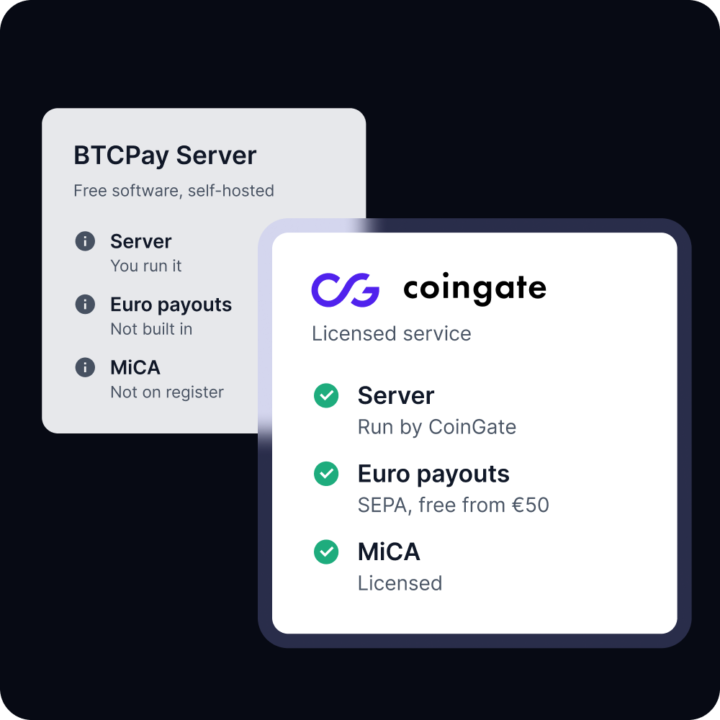
BTCPay Server is open-source software you host yourself, with no processing fee. CoinGate is a hosted gateway with a MiCA licence, euro settlement and payouts. Looking at a BTCPay Server alternative? They suit different teams, so here’s how to tell which one you are.

A licensed BTCPay Server alternative

What running BTCPay Server involves

You run the server

BTCPay recommends its Docker setup on a server that runs 24/7. The operator deploys, maintains, backs up and updates it.

Community support only

There’s no e-mail, live-chat or phone support. BTCPay says it doesn’t guarantee or vouch for any support.

Euros need a plugin

BTCPay doesn’t convert to fiat itself. Euro off-ramps come from third-party plugins such as Bringin.

BTCPay Server next to CoinGate

BTCPay charges 0% per payment, but someone has to host and maintain the server. CoinGate charges 1% on Standard, with no monthly fees.

CoinGate
Licence
MiCA licence
Checked on ESMA's interim MiCA register.
Since 16 Dec 2025, Bank of Lithuania
Costs
Processing fee
Published list prices. Network fees are not included.
1% on Standard. No monthly, setup or integration fees
Running costs
Accepting payments
Coins and networks
11 assets, Lightning on by default
Store plugins
6 plugins: WooCommerce, WHMCS, Magento 2, PrestaShop, OpenCart, Wix
Getting paid
Where funds go
Your CoinGate balance, in fiat or crypto
Euros to your bank
SEPA, free from 50 EUR
Payouts, refunds and support
Payouts
Payout Links by email, or CSV and API with four-eye approval
Refunds
From your balance. You add the customer’s wallet, they confirm by email
Support
Dedicated account managers for e-commerce businesses
BTCPay Server

Open-source, self-hosted

Licence
MiCA licence
Checked on ESMA's interim MiCA register.
Costs
Processing fee
Published list prices. Network fees are not included.
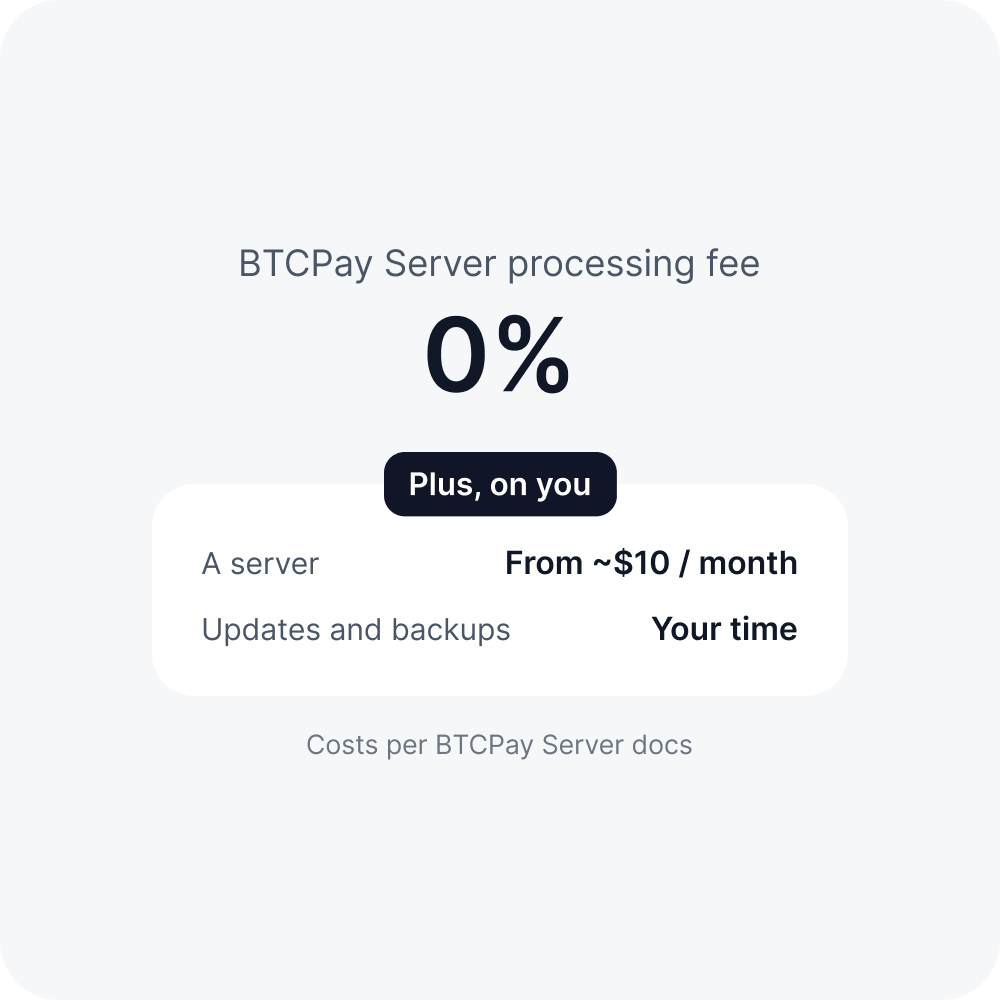
0%. Bitcoin network fees still apply
Running costs
A server, under $10 to $70 a month in its docs, plus upkeep
Accepting payments
Coins and networks
Store plugins
WooCommerce, Shopify, Magento, PrestaShop, WHMCS and more
Getting paid
Euros to your bank
Payouts, refunds and support
Payouts
Refunds
Refund link. The customer adds an address, you sign and send

Checked on 2 October 2026. CoinGate makes no representation as to the completeness or accuracy of third-party information. If something here is out of date, tell us and we will correct it.

0% fees, plus a server to run

BTCPay Server charges nothing per payment. The work moves to whoever runs it. This is the starting list from BTCPay’s own docs. If you have an engineer who likes this kind of work, it’s a strong setup. If you don’t, a hosted gateway gives you those hours back.

Self-hosted or hosted: which one is yours?

There’s no wrong answer. It comes down to who runs the tech and where the money needs to land.

1

You'd rather not host

Install a plugin or connect the API. CoinGate runs the platform.

2

You need euros in the bank

Settle in EUR, GBP or USD. SEPA withdrawals are free from 50 EUR.

3

MiCA licensing matters

CoinGate is authorised by the Bank of Lithuania.

4

Customers use stablecoins

Accept USDC on 7 networks, plus Bitcoin on Lightning.

1

You want full self-custody

Payments go straight to your own wallet.

2

You want a 0% fee

BTCPay charges nothing per payment. You pay for the server and network fees.

3

Privacy comes first

No address re-use, plus Payjoin and Tor support.

4

Bitcoin is all you need

Bitcoin is the project’s focus. Altcoins are community-run.

Switching from BTCPay Server

1

Create your account

Sign up and verify your business. No setup or integration fees.

2

Pick a settlement currency

EUR, GBP, USD, stablecoins or crypto. Skip it and orders settle in USDC.

3

Swap the plugin

Plugins cover WooCommerce, WHMCS, Magento 2, PrestaShop, OpenCart and Wix. Test in the sandbox.

4

Wind down your server

Keep BTCPay running until open invoices and refunds are done, then switch it off.

“CoinGate’s support team is highly responsive and helps resolve the issue quickly. Overall, crypto payments have become a routine and low-maintenance part of our finance operations.”

Squaretalk Head of Partnerships and Business Development

BTCPay Server vs CoinGate: FAQ

Switching from BTCPay Server

Is BTCPay Server really free?

The software is free and open-source under the MIT licence, and BTCPay charges 0% per payment. You still pay for a server, which its docs put at under $10 to $70 a month, plus Bitcoin network fees.

Do I need technical skills to run it?

BTCPay says some technical understanding is needed for the initial setup. The operator deploys, maintains, backs up and updates the server.

Who do I contact when something breaks?

BTCPay has no e-mail, live-chat or phone support. Help comes from its community, and some members offer paid support.

Can BTCPay Server pay out euros?

Not by itself. Fiat conversion comes through plugins, for example Bringin, a third-party euro off-ramp.

Is BTCPay Server licensed under MiCA?

BTCPay describes itself as an open-source project, not a company, and we found no entry for it on ESMA’s interim MiCA register. CoinGate’s operator, UAB Decentralized, was authorised by the Bank of Lithuania on 16 December 2025.

Can I use BTCPay Server and CoinGate together?

Yes, nothing stops you. You could keep BTCPay for Bitcoin and use CoinGate for stablecoins, payouts and euro settlement.