


Accept crypto with CoinGate
Accept crypto with confidence using everything you need in one platform.
Crypto-Friendly Business Bank Accounts: What to Look For Before You Settle to Fiat
Your crypto payments are working. Customers pay, orders turn to paid, the balance grows. Then the first settlement lands in your bank account, and a week later the bank wants to talk.
Most crypto sales do not stay in crypto for long. In the first half of 2026, merchants settled 75.4% of CoinGate orders to fiat, according to our H1 2026 data report. So the bank account at the end of the chain matters as much as the gateway at the start of it. A bank that is uneasy about money arriving from a crypto provider can slow down every transfer you receive.
“Crypto-friendly” gets used for anything from a bank that lets you buy bitcoin to one that simply does not freeze your account. For a merchant, it means something narrower. Here is what to look for, and what to ask before you open the account.
Want crypto sales settled to your own bank account every week? Open a CoinGate account.
What crypto-friendly means for a merchant
You are not asking a bank to hold crypto. You are asking it to receive ordinary transfers in euros, dollars or pounds from a licensed crypto-asset service provider, week after week, without treating each one as a surprise.
For a merchant, a crypto-friendly business bank account is one that:
- has a clear policy for customers whose income arrives through a crypto-asset service provider,
- understands that the sender is a regulated firm, not an anonymous wallet,
- can receive the currencies and payment rails your provider settles in,
- asks its questions at onboarding, not after the fifth transfer.
Each bank sets its own risk policy. That is why the same business can be welcomed by one bank and questioned by another, and why it pays to ask before you open the account rather than after.
Start from what your provider sends
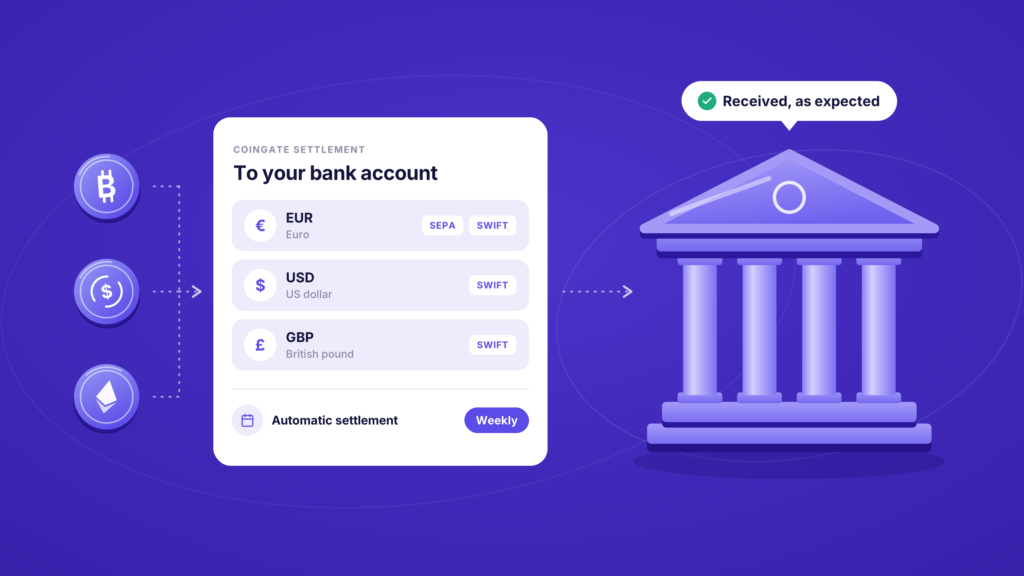
Before you compare banks, know exactly what will arrive. At CoinGate, fiat settlement works like this, per our pricing and supported currencies pages:
- EUR by SEPA or SWIFT
- USD by SWIFT
- GBP by SWIFT
- Automatic settlement runs weekly, to one bank account at a time
- SEPA withdrawals are free with a 50 EUR minimum. SWIFT withdrawals cost 0.50%, with a 50 EUR minimum fee
Two things follow from that list. If you settle in euros, a euro account that receives SEPA covers you. If you settle in dollars or pounds, you need an account that receives SWIFT transfers in that currency, and you should ask what the bank charges to receive them.
It also helps to know what SWIFT is. It is a messaging network for banks, and by its own description it “does not hold funds or manage accounts on behalf of customers”. The money moves between banks, sometimes through intermediary banks “passing on payment transactions in a connected chain of institutions”. Each link in that chain is one more institution that sees your transfer.
One more setting matters here. If you never choose a settlement currency, your balance settles in USDC, the fallback our help centre describes. If you want bank transfers, set fiat explicitly. Matching your settlement currency to your account currency also saves you a second conversion at the bank. Our guide to choosing a settlement currency covers the trade-offs.
Bank or e-money institution?
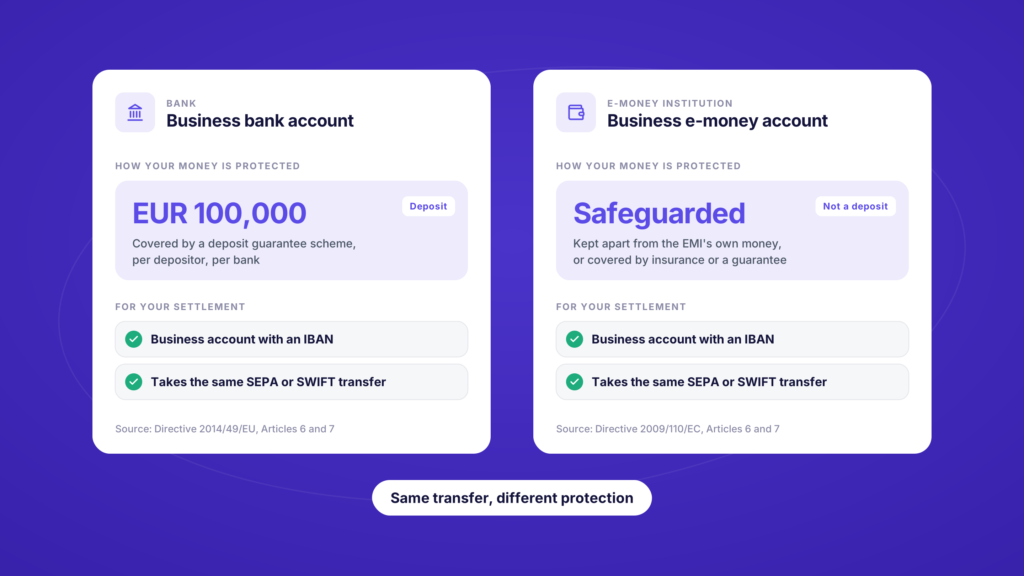
Your options are not limited to banks. Electronic money institutions (EMIs) and payment institutions also offer business accounts with an IBAN. The difference that matters is what protects the money while it sits there.
Bank deposits in the EU are covered by deposit guarantee schemes up to EUR 100,000 per depositor per bank, under Articles 6 and 7 of Directive 2014/49/EU.
EMI funds are not deposits. EU law requires an EMI to safeguard the funds it receives, and says those funds “shall not constitute either a deposit or other repayable funds received from the public” (Articles 6 and 7 of Directive 2009/110/EC). The Bank of Lithuania puts it plainly: deposits in banks are covered by deposit insurance, while “customer funds held with EMIs/PIs are protected using other mechanisms”.
Neither option is automatically better. Safeguarding means the EMI has to keep your money separate from its own, or cover it with an insurance policy or a guarantee from a bank or an insurer. It is simply a different kind of protection from deposit insurance. If you keep large balances for long, it can make sense to receive settlement in one account and hold reserves in another.
Eight questions to ask before you open the account
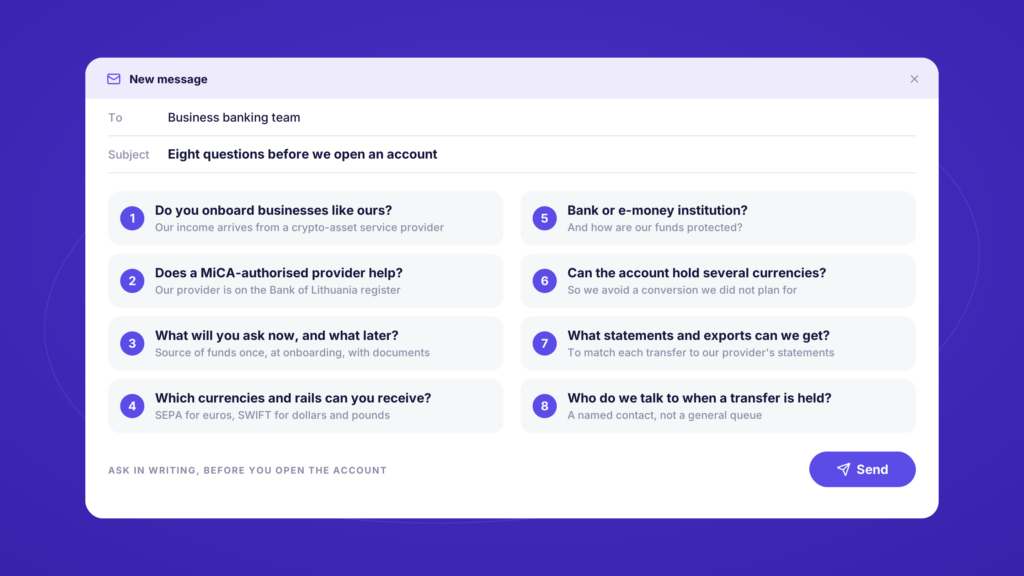
Ask these in writing. The answers tell you more than any “crypto-friendly” label on a website.
- Do you onboard businesses whose income arrives from a crypto-asset service provider? A yes with clear conditions is worth more than a vague yes.
- Does it help that the provider is authorised under MiCA? It should. Ours is on the Bank of Lithuania register, and you can show the bank the entry. Is CoinGate legit? walks through both registers.
- What will you ask for at onboarding, and what will you ask for later? You want the source-of-funds conversation once, at the start, with documents rather than explanations.
- Which currencies and rails can you receive? SEPA for euros, SWIFT for dollars and pounds, and the fee for receiving each.
- Is this a bank or an e-money institution, and how are my funds protected?
- Can the account hold several currencies? Settling dollars into a euro-only account means a conversion you did not plan for.
- What statements and exports can I get? Your accountant will want to match each incoming transfer to your provider’s statements.
- Who do I talk to when a transfer is held? A named contact or a business desk beats a general queue.
Set up your side so the bank never has to guess
Most bank questions come from transfers that do not explain themselves. A few habits keep yours self-explanatory.
Keep everything in the business’s name. We settle to your own bank account, so use the business account that belongs to the company you onboarded with us. Enter the beneficiary name exactly as it appears on the account. Since 9 October 2025, payment providers in the euro area have had to offer payers a check that the payee’s name matches the IBAN, under the Instant Payments Regulation. A name that matches exactly avoids a mismatch warning.
Batch your SWIFT withdrawals. With a 50 EUR minimum fee on each SWIFT withdrawal, fewer and larger transfers cost less than many small ones.
Tell the bank before the first transfer arrives. A short note explaining that weekly transfers from your crypto payment provider are settlement of your own sales saves a round of questions later.
Keep the paper trail ready. Statements, ledger exports and order lists all come straight out of your account. When the bank does ask, our guide on what to send when your bank asks about crypto payments goes through it question by question.
FAQ
Do I need a crypto-friendly bank if I settle in fiat?
In practice, yes. You never send crypto to the bank, but the money comes from a crypto-asset service provider. A bank that is uneasy with that will question every transfer, so it is worth choosing one that is comfortable with it from the start.
Is an e-money institution account good enough for settlement?
For receiving a SEPA or SWIFT transfer, an EMI account works the same way as a bank account, as long as it can receive the currency and rail you settle in. The difference is protection: EMI funds are safeguarded rather than covered by deposit insurance.
Can a bank refuse transfers from a crypto payment provider?
Each bank decides which businesses fit its risk policy, under its own terms. The way to avoid surprises is to ask before opening the account, and to answer source-of-funds questions with documents rather than explanations.
How often does CoinGate settle to my bank account?
Automatic settlement runs weekly to one bank account. You can also withdraw your available balance manually. SEPA withdrawals have a 50 EUR minimum, and current fees are on our pricing page.
Should I settle in stablecoins instead?
It depends on what you do with the money. If you pay suppliers or contractors in stablecoins, settling some of your sales in USDC and paying them with crypto payouts can save a round trip through the bank. If your costs are in euros, fiat settlement is usually simpler. Choosing a settlement currency covers both.
Where this leaves you
The right bank account is the quiet end of a crypto payment setup. Customers pay in crypto, we settle in euros, dollars or pounds, and the money lands in an account that expected it.
Ask the eight questions before you open the account, match it to the currencies you settle in, and keep every transfer in the business’s name. That is most of what “crypto-friendly” needs to mean for a merchant.
Found a bank that expects your transfers? Start with us.
Accept crypto with CoinGate
Accept crypto with confidence using everything you need in one platform.