


Accept crypto with CoinGate
Accept crypto with confidence using everything you need in one platform.
Introducing Payout Links: All You Need Is Their Email Address
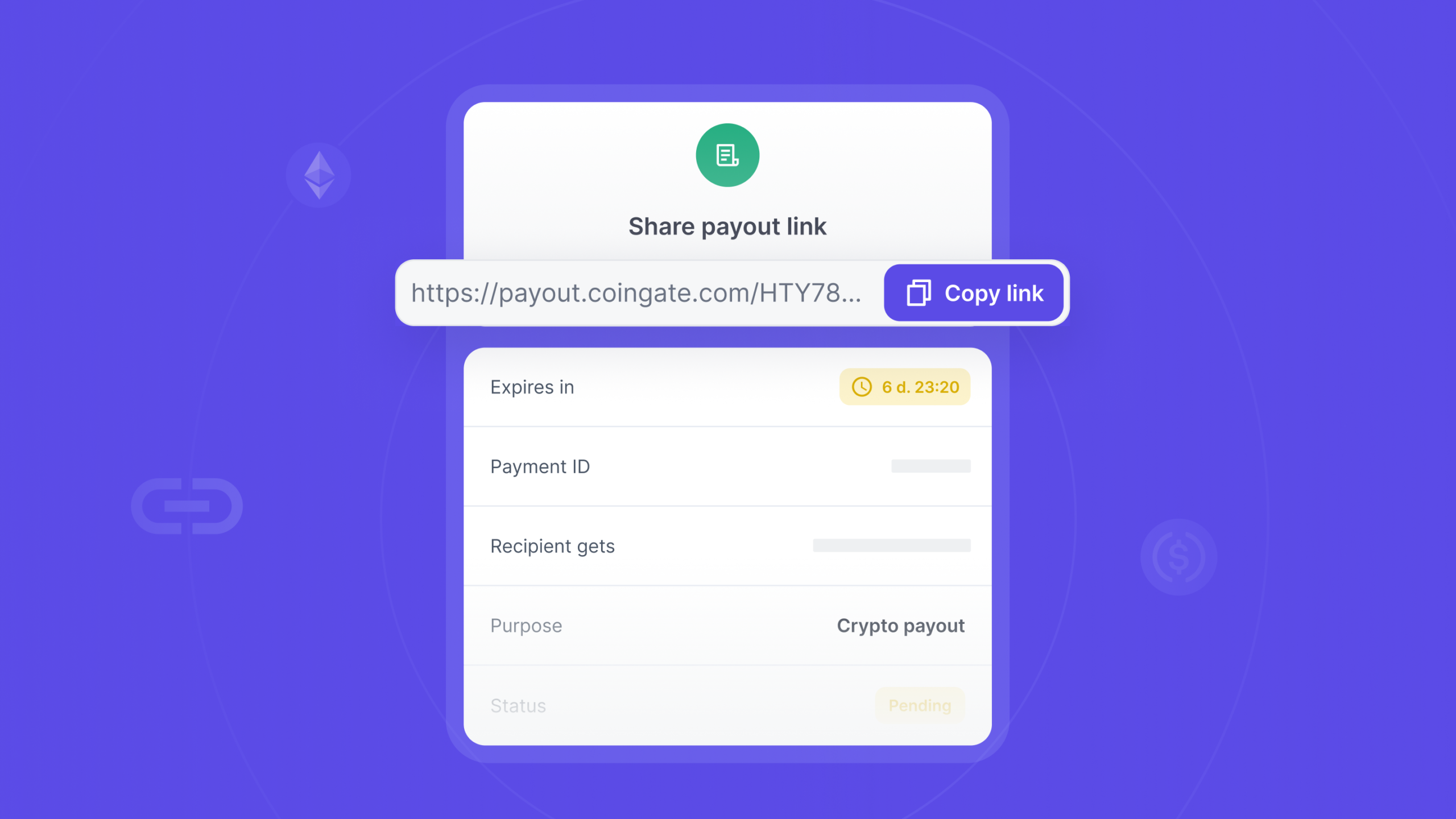
You need to pay someone in crypto. A contractor, an affiliate, a customer waiting to be paid back. The amount is agreed. What is not settled is everything the payment actually needs: which wallet, on which network, their country, their date of birth, and the rest of the details a regulated payout has to carry.
So paying somebody turns into an admin thread. You ask for an address. They send one for the wrong network. You ask for a date of birth and a country and they wonder why you want it. Somewhere in there you end up holding a small file of another person’s details, and when they switch wallets you start again.
Payout Links delete that step, and they are live now. You need exactly one thing about the person you are paying: their email address. They supply the wallet, the network and their own details themselves, at the moment they collect. You never have to ask for any of it, and you never have to store it.
The rest of this post is how that works, and where it sits next to the payouts you might already be running.
Still chasing wallet addresses before you can pay anyone? Skip that step with us.
What a Payout Link actually is
A Payout Link is one payment you set up in advance and hand over as a URL.
You choose the amount, the currency the recipient sees, which of your balances funds it, a purpose for the payment, and how long the link stays open, anywhere from one to seven days. Every one of those is a decision about your side of the payment.
The only thing you enter about them is an email address. No wallet, no network, no country, no identity details. From there you can let us email the link over, or take the URL and send it yourself.
The moment you confirm it, we take the funds from the balance you picked. Not when the recipient collects, not later. Right away, which means every link that exists is a link that is already fully funded. That part surprises people, so it gets its own section below.
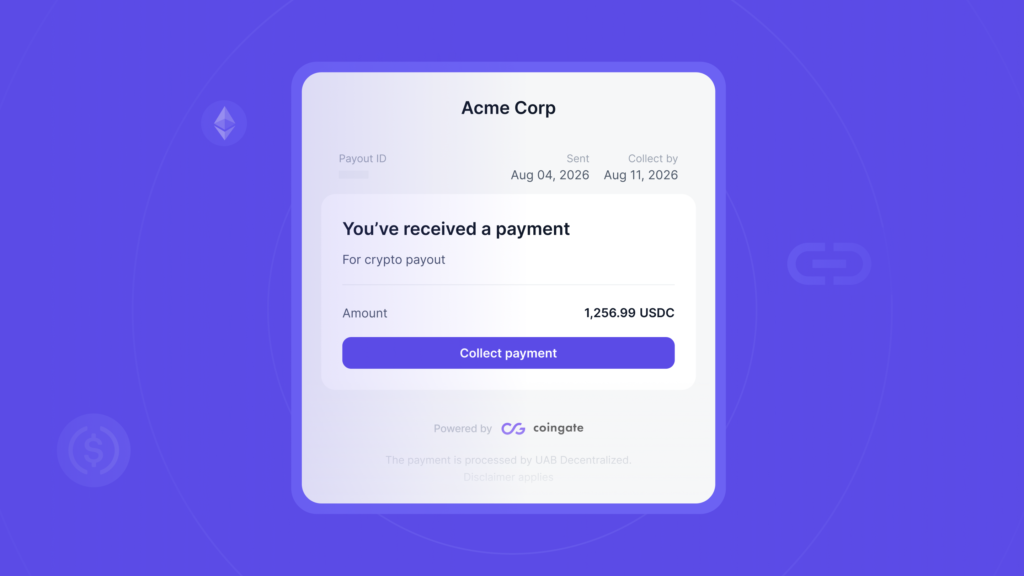
The recipient opens the link, confirms it is them with an emailed code, fills in the details a regulated payout has to carry, picks which crypto they want and on which network, and gives us a wallet address. From there the payment runs down the same rails as any other crypto payout we send, with the same compliance screening and the same approval steps as any other outgoing payment. They receive the funds. You get the confirmation. Nobody had to open an account.
Why the money leaves your balance first
This is the part most people ask about, so it is worth being plain about it. When you create a Payout Link, we debit the balance you chose for the payout amount plus fees, at creation. It looks like money leaving before anyone has been paid, and the first time you see it, it feels backwards.
The fees are a flat charge, a percentage of the amount, and a conversion fee, and all three sit with you rather than the recipient. One thing to know rather than discover: the conversion fee is charged on every link, including the ones where no conversion happens. It has to be reserved at creation because nobody knows yet which currency the recipient will pick, and reserving it is what lets them pick any of them without losing part of the payout. Defaults apply unless your business has its own payout fee rule.
Here is the logic. The money is reserved the instant the link exists, so you always know exactly what a link can cost you. The maximum is set at creation and never moves after that. If the recipient never collects, if the link expires, if you cancel it, or if a compliance check stops the payment, the full amount comes back to you, service fee included. The fee is only ever kept when a payout completes.
Expired, cancelled, rejected and failed links all return the balance on their own. No ticket, no manual step, nothing for you to chase. So the debit is not a charge. It is a reservation that either turns into a real payout or comes back whole.
One practical consequence worth knowing before you start: a balance that cannot cover the amount plus the fees is not selectable when you create the link, so you find that out before the recipient does.
What collecting a payout looks like
The recipient never logs in, because there is nothing for them to log into. What they do instead:
- Open the link and see who is paying them, what for, how much, and by when.
- Confirm with a code we email to the address the link was created for. They cannot swap it for a different address, because it comes from the link itself.
- Fill in the billing details a regulated payout requires, and say whether they are collecting as a person or as a business. They enter this themselves. Nobody has to create an account or log in, and what they enter goes straight into the screening a regulated transfer needs.
- Choose the crypto they want and the network to receive it on, then give us the address. The network options depend on the asset they pick.
The rate and the exact amount they will receive are shown before they confirm. If the asset they chose is not the currency you funded the link with, we convert automatically at the rate of the moment, and there is exactly one exchange per link. Nothing is deducted from what they receive, because the conversion fee was already reserved from you when the link was created.
After that they can close the page. The link sits in processing while the payment settles and then flips to completed. If you are the one who received a link and landed here trying to work out what to do with it, we wrote that up properly in how to collect a Payout Link.
Where Payout Links fit next to the payouts you already run
If you already send crypto payouts with us, the fair question is what this actually changes.
It changes what you have to know before you can pay at all.
A regular payout, on the API or in the dashboard, runs against a beneficiary you register first. To create one you need their type, person or business, their email, their country, the currency and the network, an actual wallet address, and their identity details on top. Seven things about somebody before a single euro moves. Batch payouts are the same requirement multiplied by the number of rows.
That model is the right one when you pay the same people every month. Registering a contractor once and referencing them forever is exactly what beneficiaries are for.
Payout Links invert it. The recipient fills in their own details and pastes their own address at the point of collection, so the data arrives with the payment instead of ahead of it. That is what you want when the list changes constantly, when the person has never touched crypto rails, or when you simply do not want to be the one holding their wallet address.
It pairs with ground we have covered before. If affiliates are the problem, the monthly grind is in how affiliate networks use crypto for faster, cheaper payouts. If you are still weighing crypto against the old rails, crypto payouts vs SWIFT transfers has the cost and speed side of it. If you pay in stablecoins specifically, the stablecoin payouts guide goes deeper on control and paper trail. And if the vocabulary is what trips you up, settlement vs payout vs withdrawal sorts that out in one read.
Payout Links answer one situation in that landscape. You need to pay someone who is not on the platform, and you do not want onboarding them to become your problem.
Who this is for
A few places where it earns its keep:
- Affiliate and partner payouts, where the list changes every month and managing accounts on other people’s behalf is not a business you want to be in.
- Contractor and freelancer payments, especially across borders, where a bank transfer is slow and expensive enough to argue about.
- Paying a customer back when they paid you in crypto and want it back in crypto, on a wallet of their choosing. If returns are a regular part of your operation, how crypto refunds actually work covers the merchant side of that.
- Rewards, bounties and community payouts, where you are sending small amounts to a lot of people who have no reason to hold an account with us.
Compliance runs inside the collect flow
Crypto payouts come with obligations, and we do not get to skip them. Neither do you.
Every address a recipient gives us is validated against the network they picked and risk-screened before anything is sent. High-risk addresses are refused, and the recipient is asked for another one. There is a limit on how many times that can happen, and once it is reached the link fails and you are refunded in full. The billing details the recipient entered are screened too, and the payout only broadcasts once those checks pass.
Past that point a Payout Link is an ordinary outgoing payment. It creates a send request and goes down the same pipeline, with the same screening and the same approval requirements as anything else leaving your balance. If compliance rejects it, or it gets cancelled further down the line, the link is cancelled and the money returns to you.
None of that is yours to build. It sits inside the collection flow, on our side. We wrote up the wider picture of staying on the right side of this in how to run a compliant crypto payment operation.
There are two controls on your side worth knowing about. Creating a link from the dashboard is confirmed with a one-time code, the same as any other payout leaving your balance.
And if your business runs multi-approval on payouts, every new link starts as a draft that cannot be collected until it is approved. A link made in the dashboard needs one approver. A link made over the API needs two, and neither can be the creator, because an API key does not tell us who was holding it. Turning multi-approval off releases anything still waiting by cancelling it and refunding you in full.
Creating links, from the dashboard or in code
There are two ways in, depending on who you are.
From the dashboard, a Payout Link is a form. You will find it under Payouts, then Payout links, or go straight to the new link page. Amount, the currency the recipient sees, the balance that funds it, a purpose, the recipient’s email, an expiry between one and seven days. Confirm it and you have a funded link to send. Creating payouts is limited to account owners and administrators, which is on purpose. The step by step version is in how to create your first Payout Link.
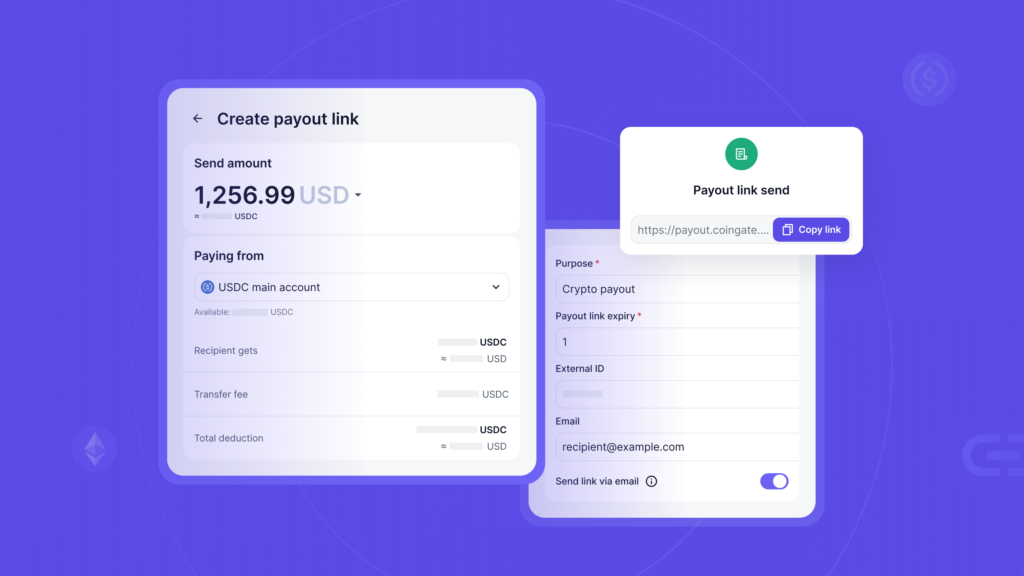
In code, links live under /api/v2/payout_links. You can create one, list them filtered by status, fetch a single link along with its event history, and cancel one while it is still open. You can also set a callback URL per link and we will post an event to it every time the link changes state, including the one that tells you the payout completed. The endpoints, the event payloads and the reconciliation side are all in the Payout Links API guide.
One detail that catches people out: if your API app requires two-factor confirmation, a link created over the API waits as a draft until someone approves it in the dashboard. It is not redeemable until then.
FAQ
What do I actually need to know about the person I am paying?
Their email address. Nothing else. No wallet, no network, no country, no date of birth. They provide all of that themselves when they collect, which also means you are not the one storing it.
Does the recipient need a CoinGate account?
No, though that is true of our ordinary payouts as well. The real difference is what you have to collect from them first, which here is nothing beyond an email.
How long does a link stay open?
Between one and seven days, and you pick that when you create it.
What happens to my money if nobody collects the link?
It comes back to you in full, service fee included, once the link expires or you cancel it. That happens automatically and there is nothing to file.
Can the recipient choose which crypto they receive?
Yes. They pick from the assets and networks we support for payouts and provide their own address. If their choice differs from the currency you funded the link with, we convert when they collect, and the conversion is charged to you rather than to them.
When am I actually charged?
The service fee is only kept when a payout completes. Every other ending, expiry, cancellation or a failed compliance check, refunds you in full.
Can I cancel a link after I have sent it?
Yes, while it is still open. Cancelling returns the amount and the fees to the balance the link was funded from.
Does anything need to be switched on first?
Your business needs crypto payouts active. A Payout Link is an ordinary payout at the end of the line, so if payouts are not enabled on your account, the collection step will not complete.
The short version
You needed to pay somebody and all you had was their email address. That turns out to be enough. You set the amount and fund the link, it goes out by email or by whatever channel you like, and the person on the other end supplies their own wallet and their own details when they collect. The money only really leaves you if the payout completes. Anything else and it is back on your balance on its own, fees and all.
Already with us? Create your first Payout Link under Payouts in the dashboard. And if you are not, and paying people in crypto without the account friction is what you came for, start with us.
Accept crypto with CoinGate
Accept crypto with confidence using everything you need in one platform.