


Accept crypto with CoinGate
Accept crypto with confidence using everything you need in one platform.
CoinGate Payment Channels API: A Developer Quickstart
If you are integrating recurring crypto deposits, you have probably hit the same wall everyone does. The classic payment flow wants an invoice per transaction, which means an address per transaction, which means your reconciliation logic has to stitch hundreds of one-time addresses back to a single client. It works, but it is a lot of plumbing for what should be a simple idea: this client, this address, forever.
The payment channels API removes that plumbing. You create a contact, open a channel, and get a permanent deposit address back. From then on, every deposit arrives with a webhook that tells you exactly who paid and what settled.
This guide walks the full flow. For the non-technical path, the dashboard walkthrough covers the same steps by hand, and the payment channels overview explains the why.
Let us get into it.
Want the full endpoint reference open while you read? Open the API docs.
The model in one paragraph
A channel belongs to a contact (your client, person or business). A channel holds one or more addresses, one per currency and platform combination. When crypto lands on any of those addresses, we detect it, attribute it to the contact, settle it according to your configuration, and fire a callback to a single URL you set on the channel. That callback URL is the heart of the integration, so we will end there.
Step 1: Create a contact
Everything hangs off a contact. Create one with the Travel Rule data we are required to collect.
Personal contact:
POST /contacts
{
  "contact_type": "person",
  "email": "jane.doe@example.com",
  "first_name": "Jane",
  "surname": "Doe",
  "external_contact_id": "your_user_13",
  "date_of_birth": "1990-05-15",
  "address_country": "LT"
}
Business contact:
{
  "contact_type": "business",
  "email": "billing@acme.com",
  "company_name": "Acme Corp",
  "company_code": "ABC123456",
  "external_contact_id": "your_account_12",
  "incorporation_country": "LT"
}
The field worth your attention is external_contact_id. This is your own identifier for the client, carried through the whole system. Use it, and you will never have to maintain a mapping table between your user IDs and ours.
A successful call returns the created contact with its id. If a contact fails creation with a generic validation error, that is a compliance check, not a bad request on your end. Surface a neutral message to your user and route the case to support.
Step 2: Create a payment channel
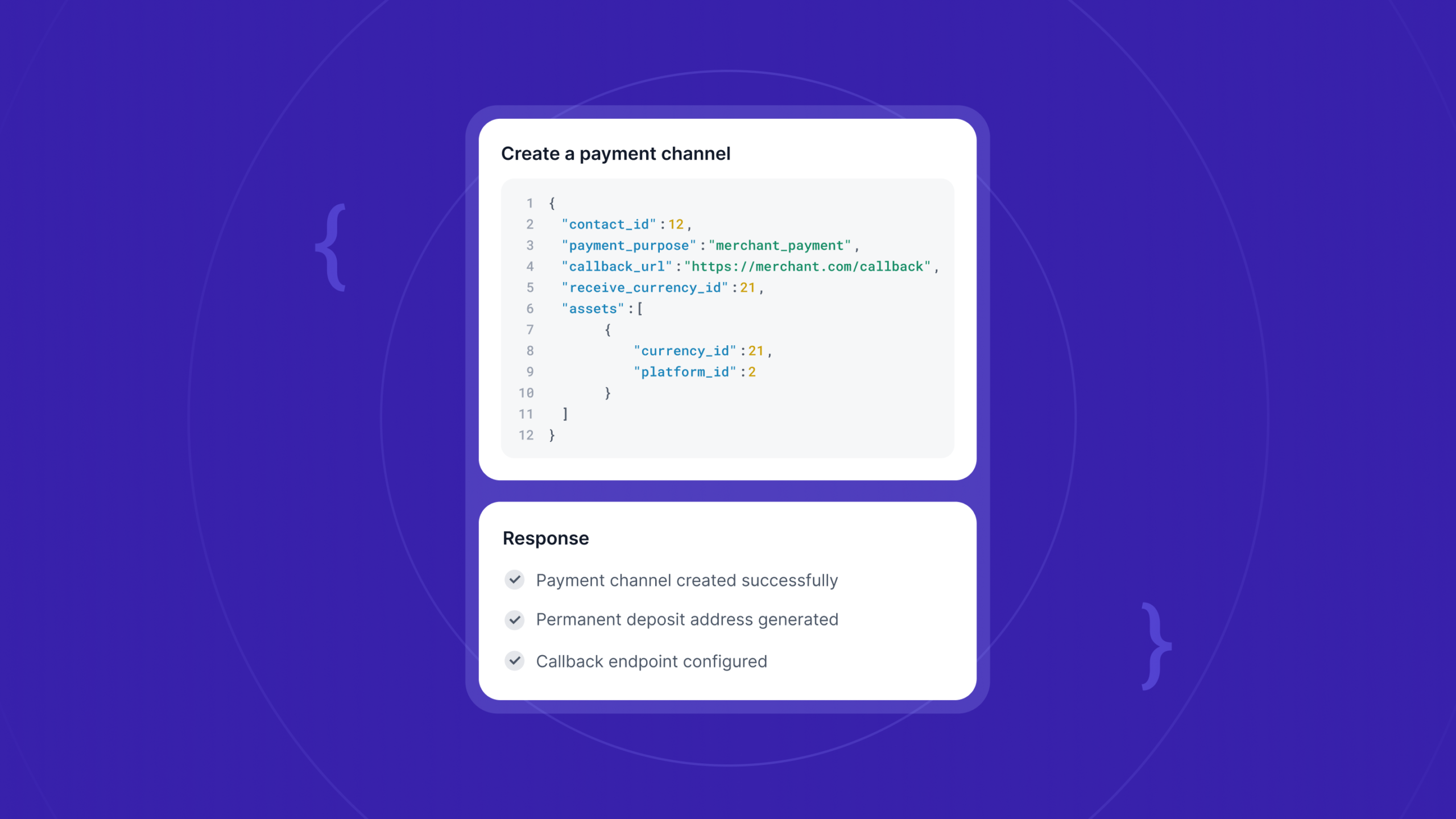
Now open a channel for that contact. You specify the purpose, a callback URL, the currency you want to receive, and the assets (currency plus platform) you want addresses for.
POST /payment_channels
{
  "contact_id": 12,
  "payment_purpose": "merchant_payment",
  "callback_url": "https://yourapp.com/callbacks/coingate",
  "receive_currency_id": 21,
  "assets": [
    { "currency_id": 21, "platform_id": 2 }
  ]
}
The response hands you the channel and its generated addresses, each with expires_at: null. These addresses do not retire. Hand the address to your client and they can deposit to it indefinitely.
One behavior to design around: EVM-compatible platforms share a single address per currency, while standalone chains like Bitcoin, Solana, Tron, and XRP each return their own. If you request assets spanning several non-EVM chains, expect several addresses back in the array. Always read addresses out of the response rather than assuming one.
Step 3: Look up supported assets
You need the right currency_id and platform_id values. Pull them from the supported-assets endpoint rather than hard-coding.
GET /payment_channels/supported-assets
GET /payment_channels/supported-assets?platform_id=10
Step 4: Add assets and configure settlement
A client wants to deposit a new currency on an existing channel? Add it without recreating anything.
PATCH /payment_channels/:id
The response returns the channel with the full, updated address list. To control how funds land, configure settlement on the channel:
PATCH /payment_channels/:id/configure-settlement
You can keep the original crypto or auto-convert deposits to EUR, USD, or GBP at settlement. To attach a proof document to the contact for compliance, post it against the contact:
POST /contacts/:id/documents
Step 5: Handle callbacks (the important part)
Here is the piece that makes the integration clean. Payment Channels use a single callback URL per channel to deliver events about different objects: contacts, orders, payment addresses. No more juggling separate webhook endpoints per feature.
Every callback follows the same shape:
{
  "event": "<object>.<field>.<value>",
  "object": "<object>",
  "data": { }
}
The event string tells you what happened, object tells you the resource type, and data carries the payload. A few examples:
- contact.compliance_status.rejected
- contact.compliance_status.confirmed
- order.status.paid
- order.status.failed
- payment_address.status.expired
The one you will handle most, a paid deposit, arrives fully detailed, carrying the external_contact_id and a payment_channel block. That means your handler can attribute the deposit to the right client and the right purpose without a second API call. Match on external_contact_id, credit the balance, done.
A sensible integration order
If you want a checklist to build against:
- Call supported-assets and cache the currency and platform IDs you care about.
- Create a contact when a client onboards, storing your external_contact_id.
- Create a channel for that contact and store the returned addresses.
- Stand up one callback endpoint, verify incoming events, and switch on the event field.
- On order.status.paid, attribute by external_contact_id and update your ledger.
- On contact.compliance_status.*, update the client’s state on your side.
That is a working integration. Everything else is refinement.
Wrapping up
The whole payment channels API comes down to three resources and one webhook. Contacts hold your clients and their compliance data. Channels hold permanent addresses. Callbacks tell you, in a single consistent shape, who deposited what and how it settled. Build the contact-then-channel flow once, point your webhook handler at the event field, and recurring deposits stop being an integration problem.
Building deposit infrastructure at scale? Start with us.
FAQ
Is the callback URL per channel or global?
Per channel. You set callback_url when you create the channel, and all events for that channel, across contacts, orders, and addresses, arrive there in one standard structure.
Do deposit addresses expire?
No. Channel addresses return expires_at: null and stay active.
How do I match a deposit to my own user?
Set external_contact_id on the contact. It comes back on the order callback, so you attribute deposits without maintaining a mapping table.
Can I create channels in bulk?
Yes. The API is built for it. Create a contact and a channel per client programmatically as they onboard.
Where is the full API reference?
At developer.coingate.com, alongside our other payment and crypto payouts endpoints.
Accept crypto with CoinGate
Accept crypto with confidence using everything you need in one platform.