


Accept crypto with CoinGate
Accept crypto with confidence using everything you need in one platform.
Building Recurring Crypto Billing With the Billing API
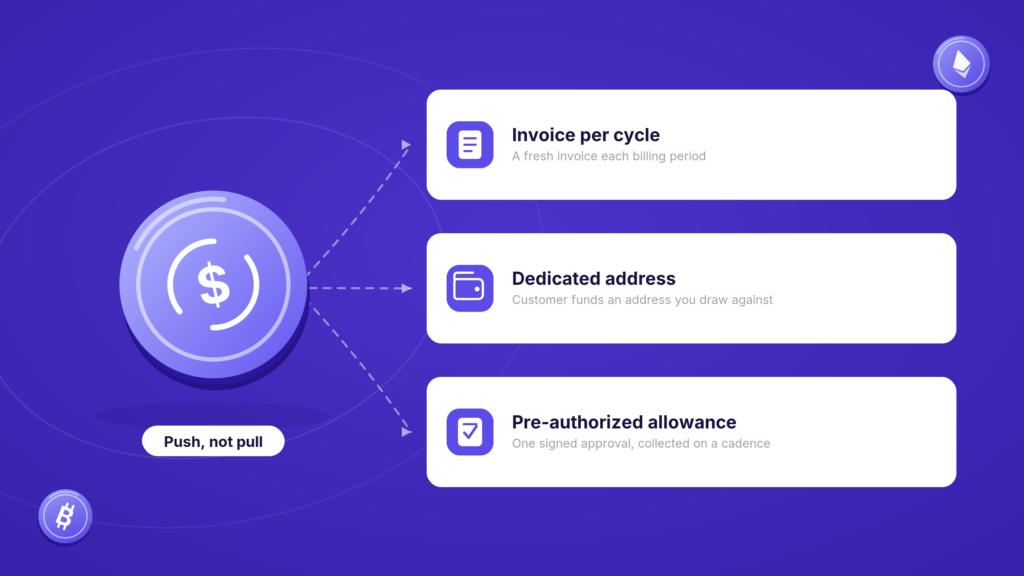
Subscriptions are easy with cards. You store the card, you charge it every month, the customer does nothing. Crypto does not work that way, and pretending otherwise is how integrations go wrong.
A blockchain payment is push, not pull. You cannot silently reach into a customer’s wallet and take this month’s fee. Every payment needs the wallet holder to sign it. So “recurring crypto billing” means something specific: on a schedule, you generate and send an invoice, and the customer pays it. The Billing API automates the generating-and-sending part, which is the part that actually eats your time.
This guide builds working crypto subscription payments end to end. If you want the business case first, our writeup on crypto payments and involuntary SaaS churn covers why failed cards are worth designing around. Here we are building. If you are new to the API, get oriented with our crypto payment API integration guide first.
Raising the same invoices by hand every month? Put them on a schedule instead.
Standard auth and base URL, with sandbox at https://api-sandbox.coingate.com/v2:
Authorization: Token YOUR_API_TOKENThe object model, in the order you will build it
Three objects, and they stack:
- A billing contact is the customer. You need one before anything else.
- A billing product is an optional reusable line item with a fixed price. Skip it if you would rather pass a raw amount.
- A recurring billing is the schedule. It references the contact and, every interval, automatically creates and sends a billing request (an invoice with a pay link) to that customer.
So the mental model is: set up who you are billing, optionally what for, then the cadence. Let us go in that order.
Step one: create the contact
curl --request POST "https://api.coingate.com/v2/billing/contacts"
  -H "Authorization: Token YOUR_API_TOKEN"
  -H "Content-Type: application/x-www-form-urlencoded"
  --data-urlencode "contact_type=person"
  --data-urlencode "email=joe@doe.com"
  --data-urlencode "first_name=Joe"
  --data-urlencode "surname=Doe"
  --data-urlencode "external_contact_id=user_AA1234"
The external_contact_id is your own user ID. Set it. It is what lets you tie a CoinGate contact back to the user in your database later without keeping a separate mapping table. For a business contact, set contact_type=business and pass company_name instead of the name fields.
You get back an id. Hold onto it.
{
  "id": 1,
  "contact_type": "person",
  "email": "joe@doe.com",
  "external_contact_id": "user_AA1234",
  "created_at": "2026-08-06T15:38:35.787Z"
}
Step two, optional: create a product
If you are billing the same thing repeatedly, a product saves you from repeating the amount everywhere:
curl --request POST "https://api.coingate.com/v2/billing/products"
  -H "Authorization: Token YOUR_API_TOKEN"
  -H "Content-Type: application/x-www-form-urlencoded"
  --data-urlencode "name=Pro Plan"
  --data-urlencode "price=49.0"
  --data-urlencode "currency_id=11"
Products are tied to a currency, so a “Pro Plan” priced in euro is its own product. The currency_id is the numeric ID from the currencies endpoint, not the symbol. Look it up rather than guessing: GET /v2/currencies?symbol=EUR returns "id": 11. You can skip products entirely and just pass an amount on the schedule instead. Your call.
Step three: create the recurring schedule
This is the one that does the work:
curl --request POST "https://api.coingate.com/v2/billing/recurrings"
  -H "Authorization: Token YOUR_API_TOKEN"
  -H "Content-Type: application/json"
  -d '{
    "billing_contact_id": 1,
    "currency_id": 11,
    "receive_currency_id": 11,
    "frequency": "monthly",
    "start_at": "2026-09-01",
    "amount": "49.0",
    "title": "Pro Plan subscription",
    "callback_url": "https://yourapp.com/coingate/billing"
  }'
The important fields:
frequencyis eitherweeklyormonthly. Those are your two cadences.start_atis the date the first invoice goes out, and it is also the anchor day for every invoice after it. Start on the first, get billed on the first. If the anchor day does not exist in a later month, it resolves to the last valid day, so a schedule starting 31 January bills on 28 February.currency_idis what you price in,receive_currency_idis what you settle in. Price in euro and settle in euro, or price in euro and settle in USDC. Two separate decisions.amountis required only if you did not attach a product. If you did, passbilling_request_itemswith the product ID and quantity instead.end_atis optional. Leave it out and the subscription runs until you stop it.underpaid_cover_pctis optional too, and it is the quiet useful one. It sets how much of a shortfall you will absorb, 0 to 10 percent, default 0, which matters when a customer’s wallet fee eats into the amount that lands.
The response confirms the schedule and, importantly, tells you when the next invoice goes out:
{
  "id": 1,
  "status": "active",
  "frequency": "monthly",
  "start_at": "2026-09-01",
  "end_at": null,
  "next_billing_at": "2026-09-01",
  "created_at": "2026-08-06T11:01:21.695Z",
  "billing_requests": []
}
From here, CoinGate takes over. A daily job checks every active schedule, and on each due date it generates a billing request and emails the customer a pay link. You do not cron anything.
Handling the callback
Set a callback_url and you will get a POST every time a billing request is created or changes status. That is how your app knows a subscriber actually paid this cycle.
The payload tells you what happened:
{
  "id": 3,
  "uuid": "a88d2edc-...",
  "status": "completed",
  "order_id": 27365192,
  "billing_contact_id": 1,
  "external_contact_id": "user_AA1234",
  "price_amount": "49.0",
  "price_currency": { "id": 11, "symbol": "EUR" },
  "pay_amount": "0.00022086",
  "pay_currency": { "id": 8, "symbol": "BTC" },
  "created_at": "2026-09-01T18:22:28.806Z"
}
The key field is status. A billing request moves through scheduled (created for a future date, and a state only recurring invoices have), pending (sent, awaiting payment), completed (paid), expired (the pay window lapsed) and canceled. Grant access on completed. And notice external_contact_id comes back in the payload, so you can flip the right user’s subscription to active without a lookup.
As with every CoinGate callback, verify it and make your handler idempotent, the same discipline covered in the developer integration guide.
Stopping a subscription
When a customer cancels, you discontinue the schedule with a PATCH:
curl --request PATCH "https://api.coingate.com/v2/billing/recurrings/1/discontinue"
  -H "Authorization: Token YOUR_API_TOKEN"
This stops future billings and cancels any scheduled-but-not-yet-sent invoices. Invoices already issued are left alone, which is the behaviour you want, and chasing them stays your job. The schedule’s status becomes canceled.
What you settle in is a separate decision
Worth separating two things that get muddled. currency_id is the price the customer sees. receive_currency_id is what lands on your side. A subscription priced in euro can settle in euro, in USDC, or in whatever the customer paid with, and none of that changes the invoice.
If you would rather keep the original coins and sweep them later on your own schedule, that is a job for the Convert API rather than the billing setup.
Where this fits
Be honest with yourself about what you have built. This is recurring invoicing, not a silent card-on-file charge. The customer still pays each cycle. What you have removed is the manual work of creating and chasing those invoices, and the card-specific failure modes that quietly kill subscriptions: expired cards, issuer declines, cross-border rejections. For the wider picture of using crypto to recover that kind of churn, see our writeup on recurring crypto payments. The full endpoint reference lives in the Billing API docs.
Frequently asked questions
Can I charge a crypto subscription automatically like a card?
Not silently. Blockchain payments are push-based, so you cannot pull funds from a wallet on your own. The Billing API automates generating and sending an invoice each cycle, and the customer pays it. That is what recurring crypto billing means in practice.
What is the difference between a billing contact, product and recurring billing?
A contact is the customer, a product is an optional reusable priced line item, and a recurring billing is the schedule that automatically generates and sends invoices to a contact at a set frequency.
What billing frequencies are supported?
Weekly and monthly. The start_at date sets both the first invoice date and the anchor day for every invoice after it, resolving to the last valid day in months where that day does not exist.
How do I know when a subscriber has paid?
Set a callback_url on the recurring billing. CoinGate posts to it whenever a billing request changes status. Grant access when the status is completed, and use the returned external_contact_id to identify the user.
How do I cancel a subscription?
Send a PATCH to /v2/billing/recurrings/{id}/discontinue. It stops future and scheduled invoices while leaving already-issued ones untouched, and sets the schedule status to canceled.
Wrapping up
Recurring crypto billing is less magic and more automation. Create a contact, optionally a product, then a schedule with a frequency and a start date. CoinGate generates and sends each invoice, your callback tells you who paid, and a single PATCH ends it when someone churns. It will not pull from a wallet the way a card lets you, but it takes the invoicing grind off your plate and sidesteps the card failures that lose subscribers for no good reason.
Building subscriptions that accept crypto? Start with us.
Accept crypto with CoinGate
Accept crypto with confidence using everything you need in one platform.