


Accept crypto with CoinGate
Accept crypto with confidence using everything you need in one platform.
Six Scams That Target Merchants Who Accept Crypto
“I sent too much by mistake. Can you send the difference back to this address?”
It reads like a normal support ticket, and sometimes it is one. In our order data, more than one in six crypto payments arrives for the wrong amount (what goes wrong with crypto payments), so overpayments really do happen. That is exactly what makes them good cover for a scam.
Most crypto scam advice is written for people holding coins. Merchants face a different set of tricks: ones that turn a payment you received, a refund you owe or a payout you send into money that ends up with someone else. A crypto payment cannot be pulled back by a bank (can crypto payments be reversed?), so the defence is process, not reversal.
Here are six patterns worth knowing, and the controls that stop each one.
Want these controls built into your checkout? Open a CoinGate account.
1. The overpayment, and “please send back the difference”
The pattern is older than crypto. The US Federal Trade Commission describes the cheque version: someone pays you “for more than they owe you”, then tells you “to send some of the money back to them or to another person”. The cheque later bounces, and you are left paying the bank back.
The crypto version comes in two flavours. Sometimes the overpayment never happened, and the “proof” is a screenshot. Sometimes it did happen, but the request asks you to send the excess to a different address from the one that paid.
What stops it: never refund an overpayment by hand from your balance. At CoinGate, the overpaid amount is recorded on the order, and our system generates a refund form on the invoice itself so the shopper claims the excess there. In most cases you do not need to do anything. On top of that, refunds you create yourself are limited to the original order price, so an “overpayment refund” cannot quietly become a larger payment.
2. The payment screenshot that is not a payment
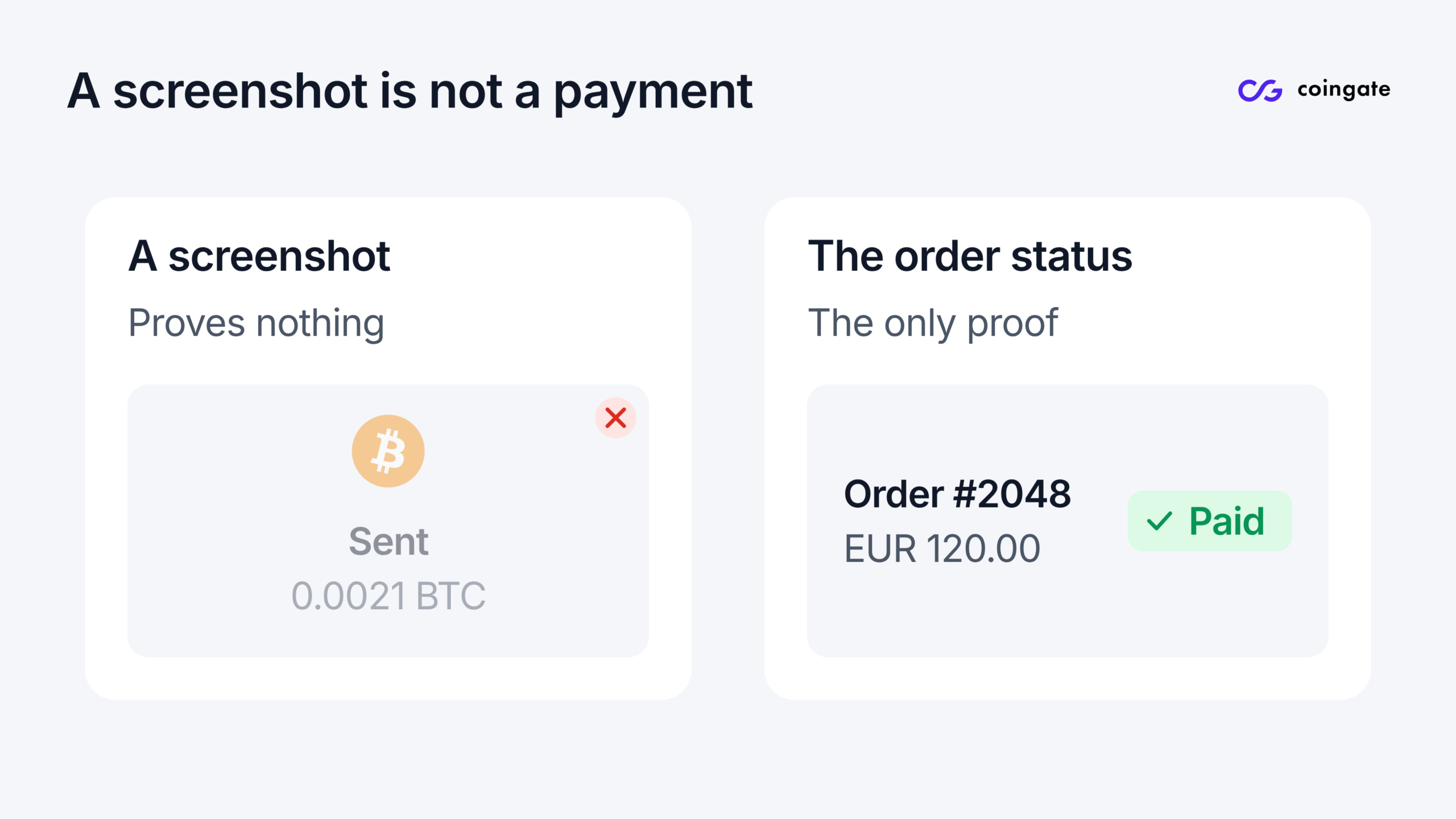
“Here’s the screenshot, I paid.” A wallet’s “sent” screen proves very little. It can show a transaction that was never broadcast, one that paid a different address, or one that has not confirmed. A transaction hash can be completely real and still belong to someone else’s payment.
What stops it: treat the order status as the only proof. An order is paid when the payment “is confirmed by the network, and has been credited to the merchant” (order statuses). Until then, nothing ships.
There is also no reason for your team to judge screenshots at all. If a customer paid in the wrong coin or on the wrong network, they can find the payment and request a refund from the invoice page themselves. If they paid after the order expired, they get a refund option on the checkout page. In your settings, you decide how long after an order is created we should still try to complete a late payment. The default is 24 hours.
3. The unconfirmed payment that disappears
Some customers push for delivery before their payment confirms. On Bitcoin, that is a real risk. An unconfirmed transaction can be replaced by another one that spends the same coins elsewhere, and since Bitcoin Core 28.0, nodes accept such replacements by default. Bitcoin Core’s own contributors “strongly recommend that merchants and services not accept unconfirmed transactions as final”.
What stops it: release goods on the paid status, not on a transaction showing up in a block explorer. If you run your own wallet, wait for confirmations. At CoinGate, we accept Bitcoin payments of up to 100 EUR before they confirm only after a specialist provider has checked them (what changed for Bitcoin and Solana). Anything above that waits for the network.
4. The refund that goes to someone else’s wallet
A message arrives from “the customer”. They want a refund, but their old wallet is gone, so could you please use this new address? Sometimes it comes from a lookalike email address. Sometimes it comes from the real customer’s hacked account.
A crypto refund is a new payment (how crypto refunds work), so a refund sent to the wrong address is gone.
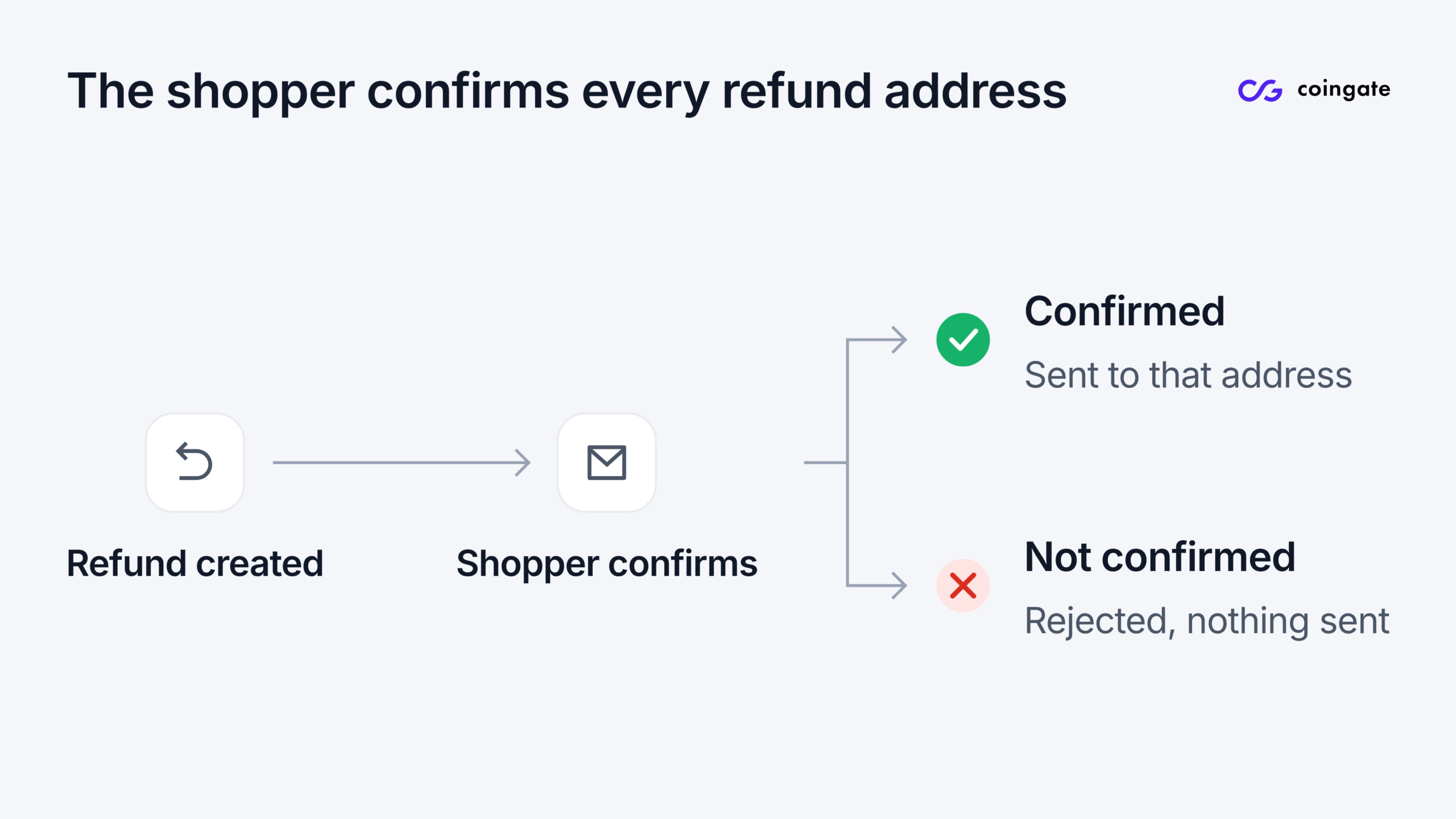
What stops it: when you create a refund, keep the shopper’s email confirmation switched on. The shopper then confirms the refund address by email before anything is sent (create refund). A refund the shopper does not approve is rejected rather than sent. Never take a refund address from a chat message or a reply to a support ticket alone.
5. Fake support, fake logins and fake callbacks
Some scams go after your account rather than a single payment.
Phishing that imitates your provider. A message says your account is restricted and links to a login page that looks right. We will never ask for your password, and you should only log in through coingate.com or accounts.coingate.com. Our guide Is CoinGate legit? shows how to check our domains and our licence yourself.
Stolen dashboard access. Turn on two-factor authentication with an authenticator app. It is required for sensitive actions such as approving withdrawals. Then give each person the narrowest role they need: Owner, Administrator, Accountant, Support or Developer (user management). A support agent who only needs order history does not need an Owner login.
Spoofed callbacks. If your shop fulfils orders when a callback arrives, someone who finds your callback URL can try posting a fake “paid” message to it. Our callbacks carry the token you set when you created the order, so check it, and re-check the order through the API before you ship (payment callbacks). Callbacks come from IP addresses we publish, which you can allowlist. Debugging CoinGate callbacks covers the setup.
Leaked API credentials. An API token is shown only once, when you create it (API authentication). Store it like a password, in a secrets manager, and never in a shared document or a public code repository.
6. The changed wallet address on a payout
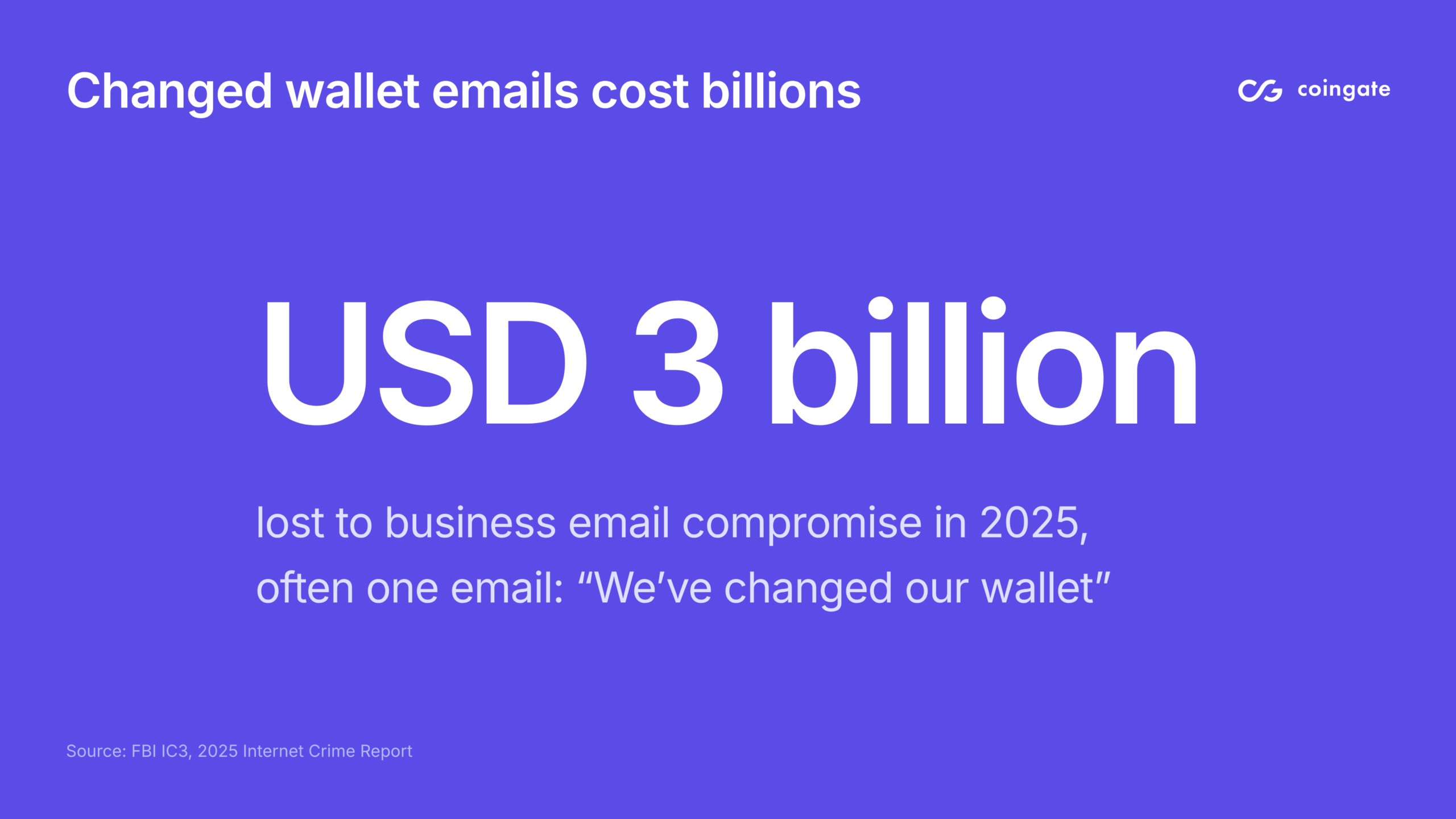
If you pay suppliers, affiliates or traders, the most expensive scam is also the simplest. An email arrives from a familiar name: “We’ve changed our wallet, please use this one from now on.”
This is business email compromise with a crypto address in it. The FBI describes BEC as a scam carried out “when a subject compromises legitimate business e-mail accounts through social engineering or computer intrusion techniques resulting in an unauthorized transfer of funds” (IC3). Its 2025 Internet Crime Report puts reported BEC losses at over USD 3 billion for the year.
A close cousin is address poisoning, where a lookalike address is planted in your transaction history and waits for someone to copy it. We cover it in detail in how a lookalike address steals a crypto payout.
What stops it:
- Save recipients once as beneficiaries and pay to the saved details, rather than pasting a new address each time (managing payout beneficiaries).
- Confirm any change of address through a second channel you already trust, never by replying to the email that asked for it.
- Turn on four-eye approval, so a second person reviews each batch before it is sent. Today it applies to batch payouts only.
- For one-off payments to someone whose wallet you cannot verify, a Payout Link lets the recipient collect to their own wallet, and only the email address you sent it to can collect it.
The common thread
Every scam above relies on the same move: someone outside your process persuades someone inside it to skip a step. The fix is rarely technical.
Treat the order status as the only proof of payment. Let overpayments and refunds run through the invoice and the shopper’s confirmation. Lock the account down with 2FA and narrow roles. Confirm payout details through a second channel. None of that slows down an honest customer, and it takes away every shortcut a scammer needs.
If you want those controls in your checkout from day one, start with us.
FAQ
Can a crypto payment be faked?
The blockchain record cannot be faked, but the evidence of a payment can. Screenshots, forwarded emails and transaction hashes from other payments all look convincing. Rely on the order status in your account or in the API.
Should I refund an overpayment myself?
In most cases there is no need. CoinGate generates a refund form on the invoice for the overpaid amount, and the shopper claims it there. Very small overpaid amounts may not be refundable.
A customer says they paid, but the order shows expired. What now?
Check the order in your dashboard first. A late payment is still recorded, the customer can request a refund on the checkout page, and depending on your settings we may still complete the order. You never need to send anything by hand.
Will CoinGate ever ask for my password?
No. Only log in at coingate.com or accounts.coingate.com, and treat any message asking for your password as phishing.
How do I check that an email really comes from CoinGate?
Look at the sending domain, which should be coingate.com. If you are unsure, do not click the link. Log in directly instead and contact support from your dashboard.
Accept crypto with CoinGate
Accept crypto with confidence using everything you need in one platform.